How to create DO & back up DO
Judy
2022-12-09 13:39:11
1. Log in to https://admin.drayeasy.com/
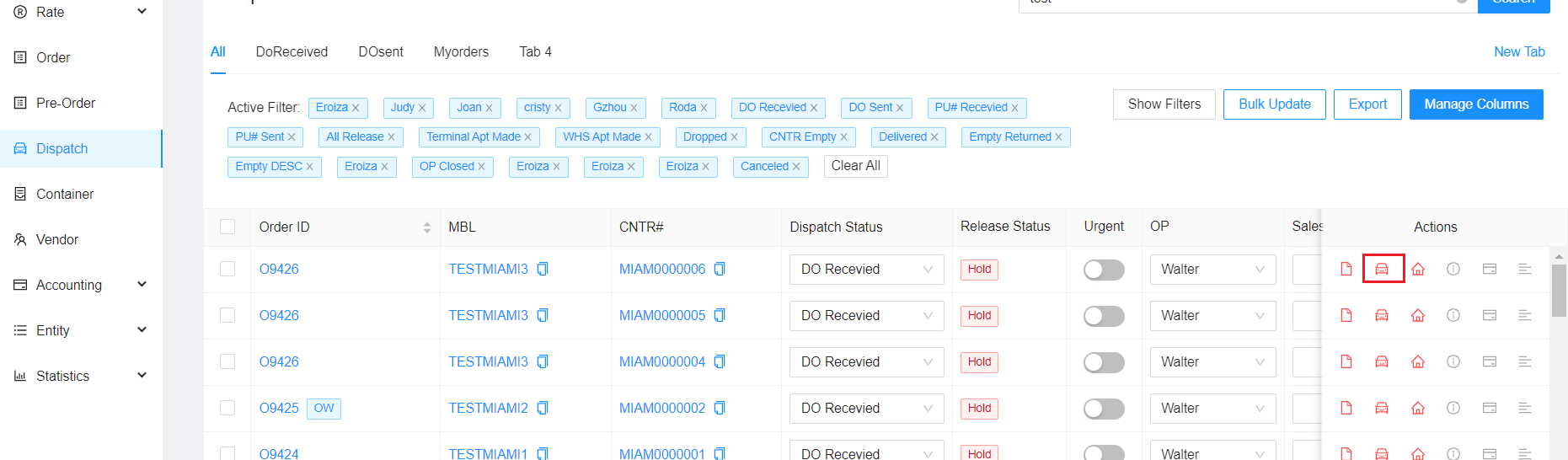
2. Go to Dispatch Tab and select the little car icon of the container naumber
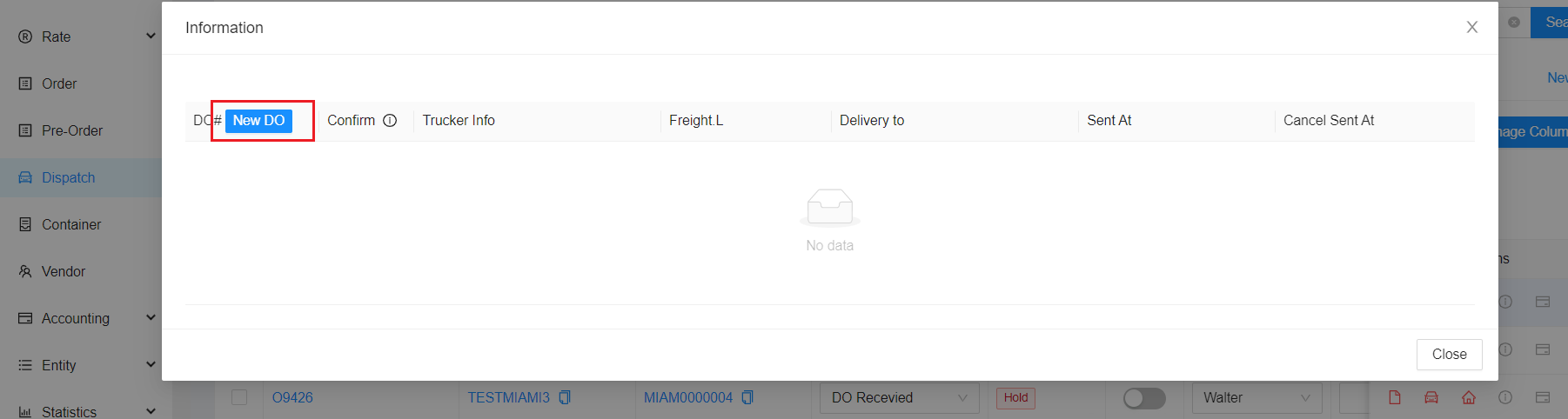
3. Then click New DO.
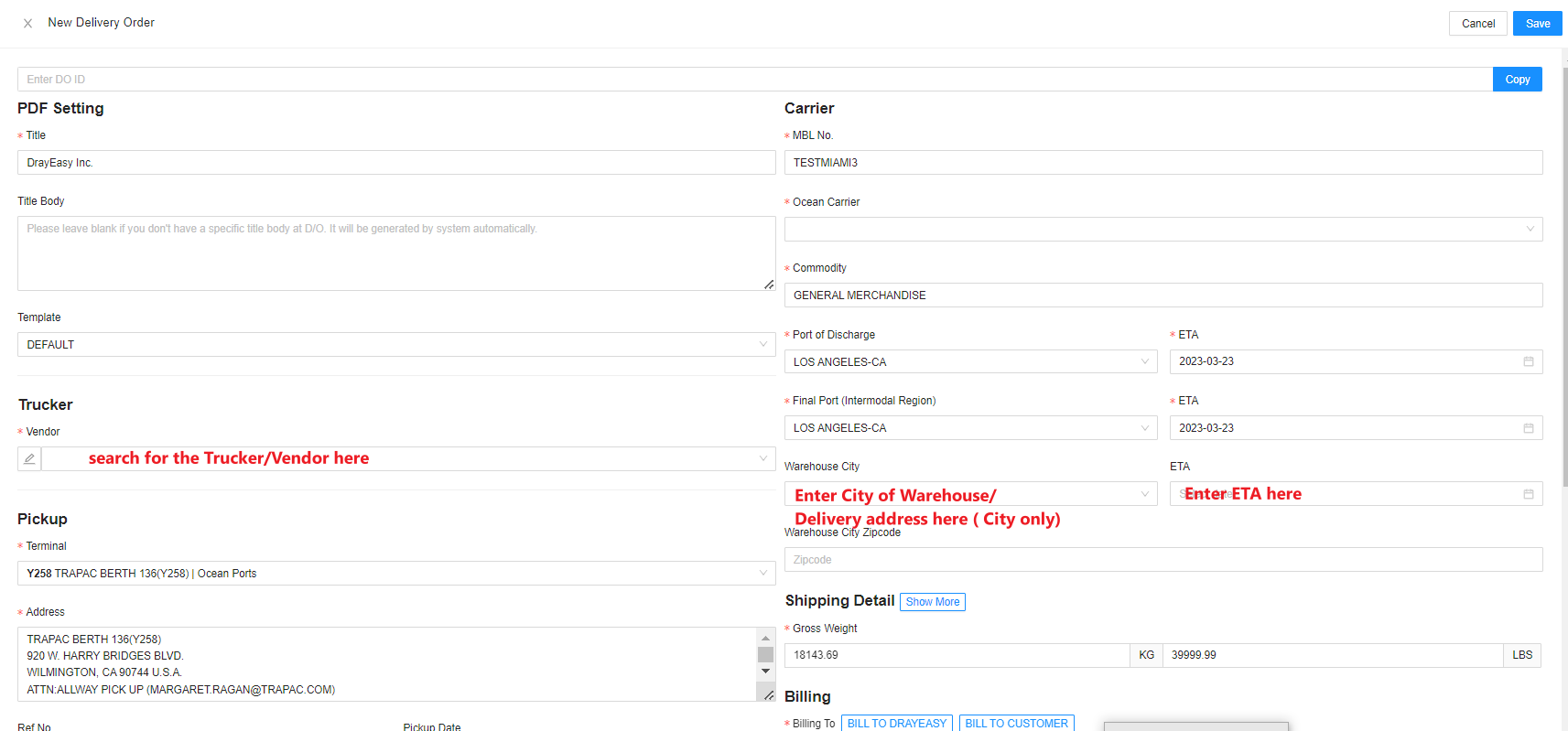
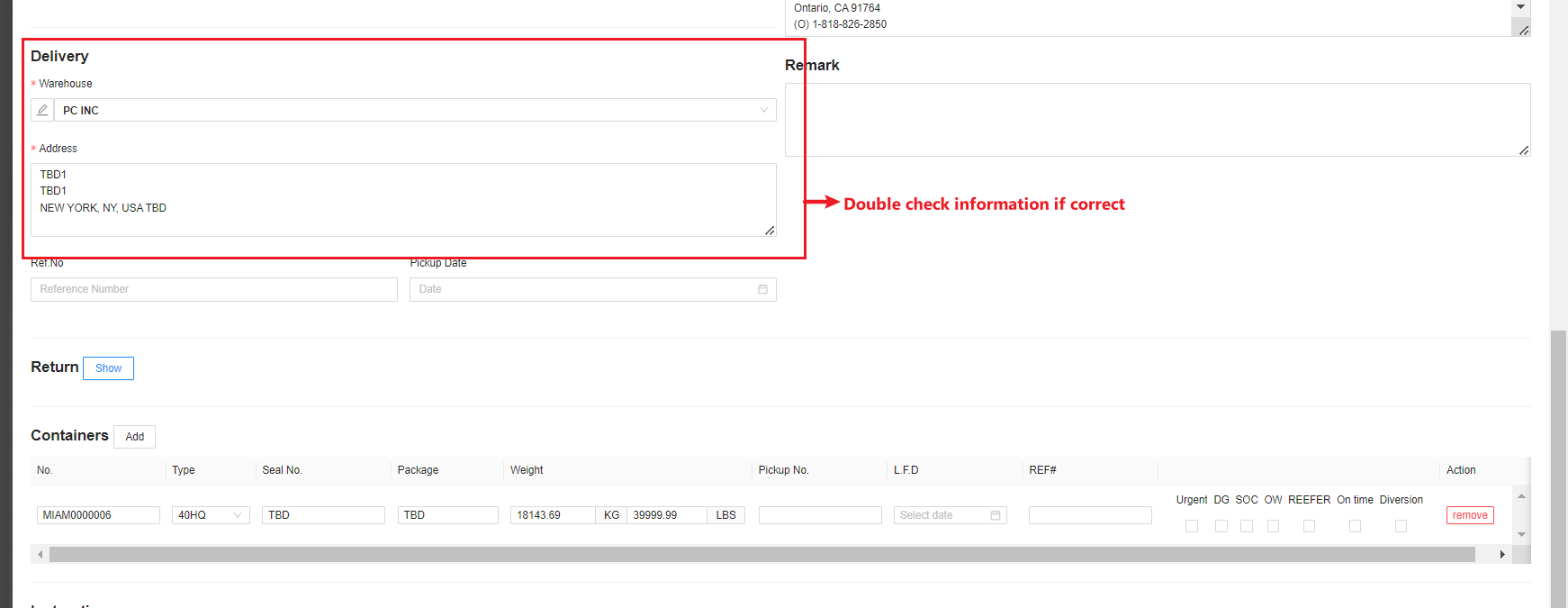
4. Then Enter the Trucker/Vendor you wish to send this DO here. Make sure all information are correct especially the Warehouse Address. Then click Save on the upper right corner of the screen.
5. Click/Tick the Confirm Box then click the DO number. 
6. Then click Send Email.

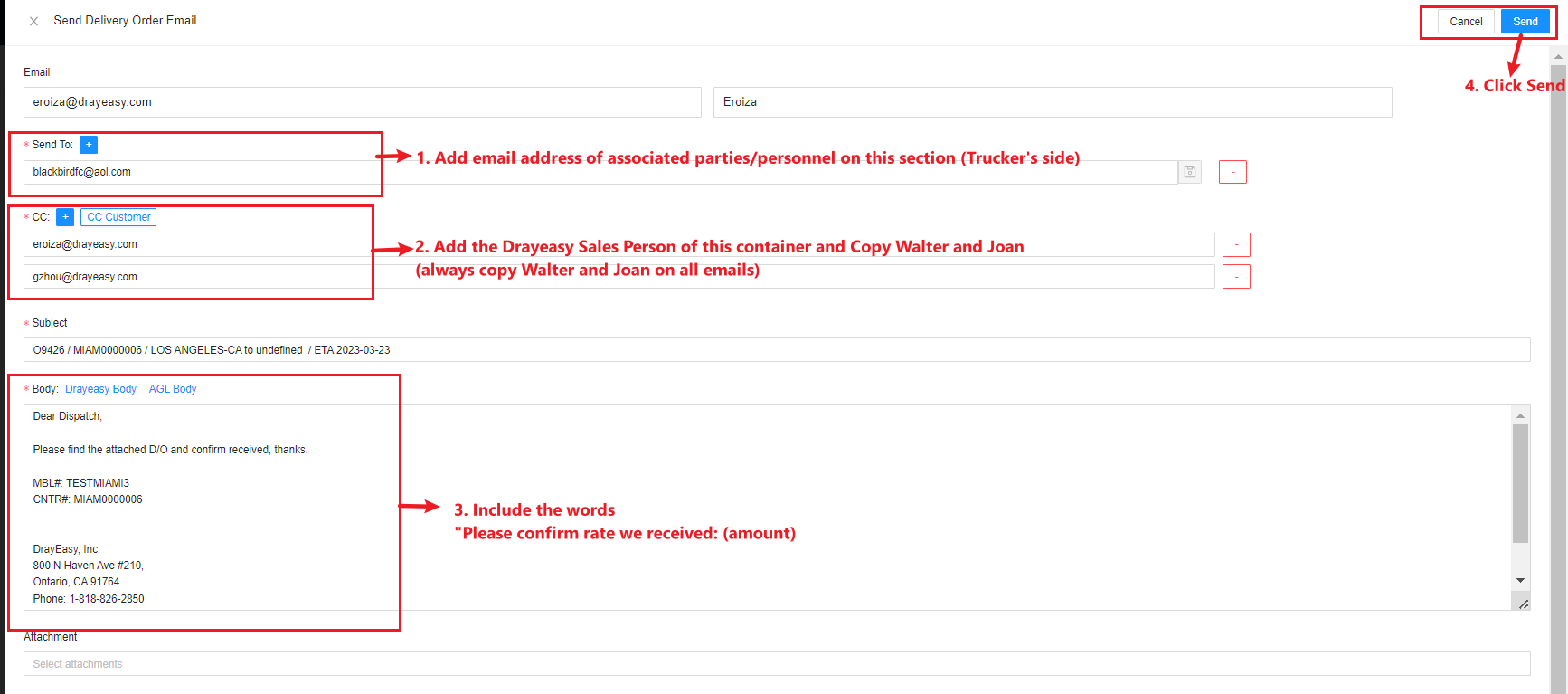
7. Then enter all email address associated for this container and the Rate we received from the Trucker then click Send.