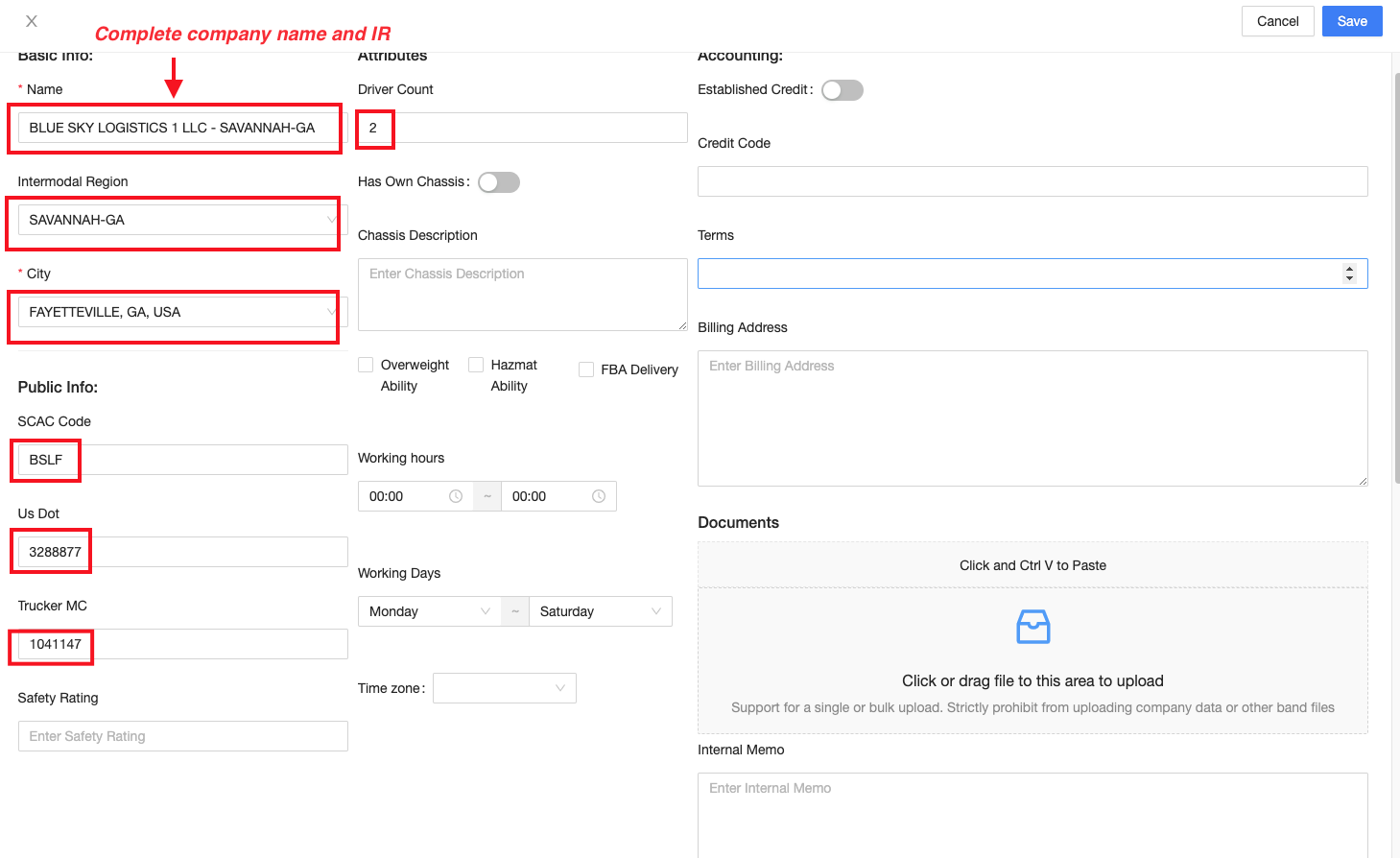
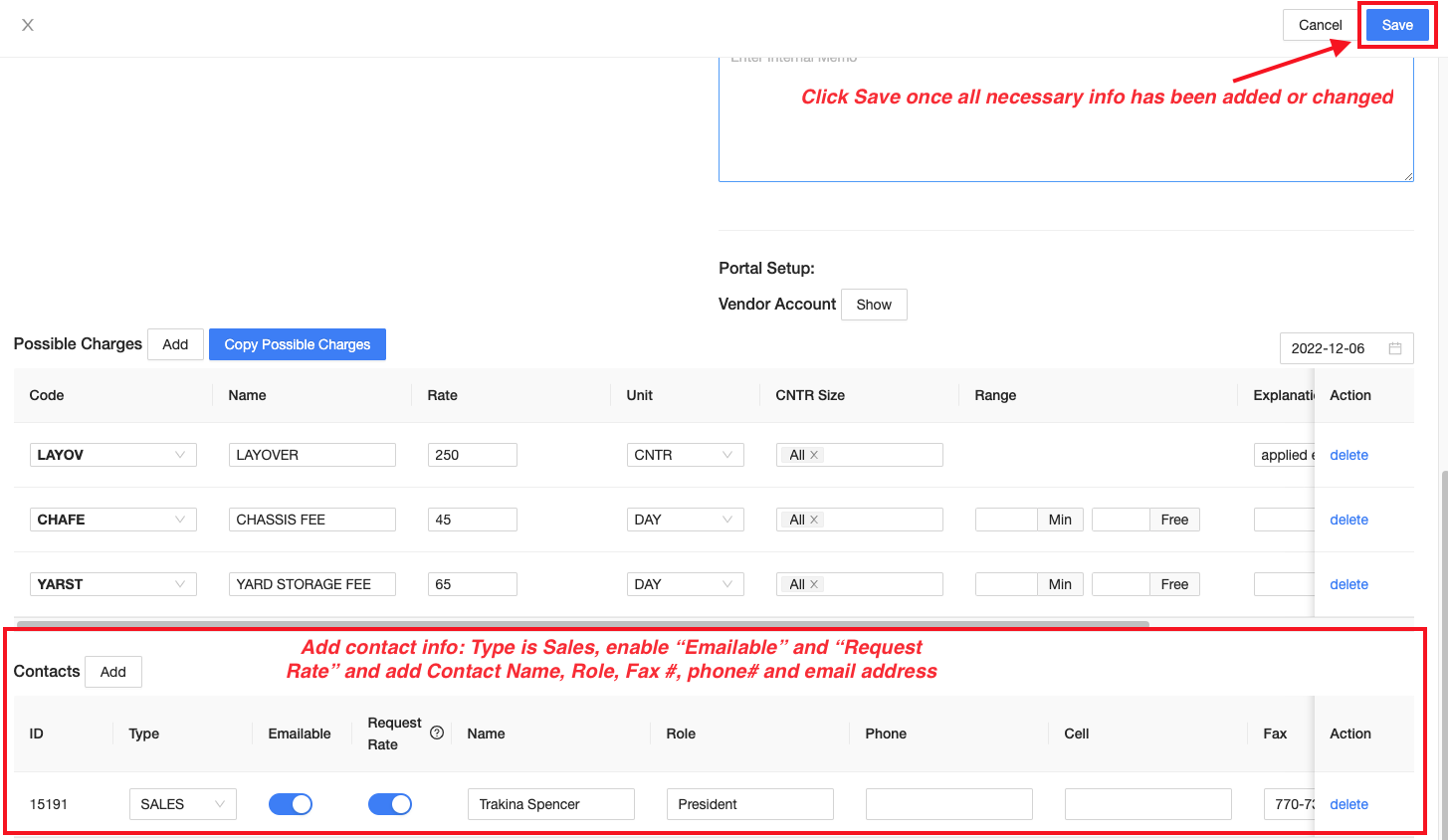
How to Update Vendor Information
cristy
2022-12-09 17:07:57
1. Log in to https://admin.drayeasy.com.
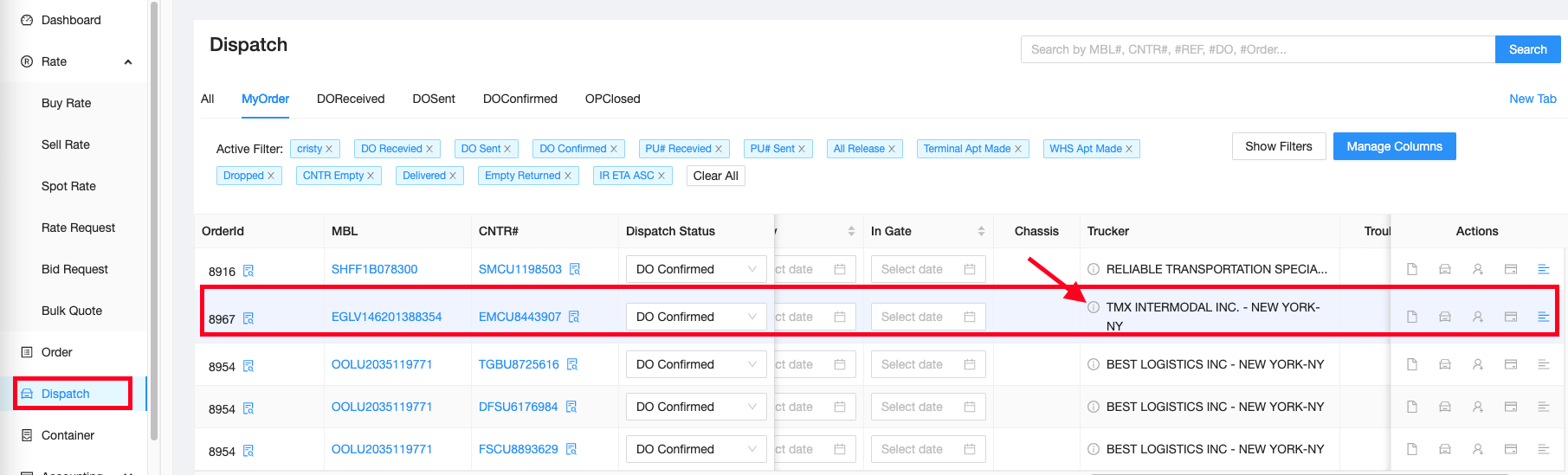
A.1. Update vendor information using Dispatch Tab. Go to Trucker column and click the trucker info.
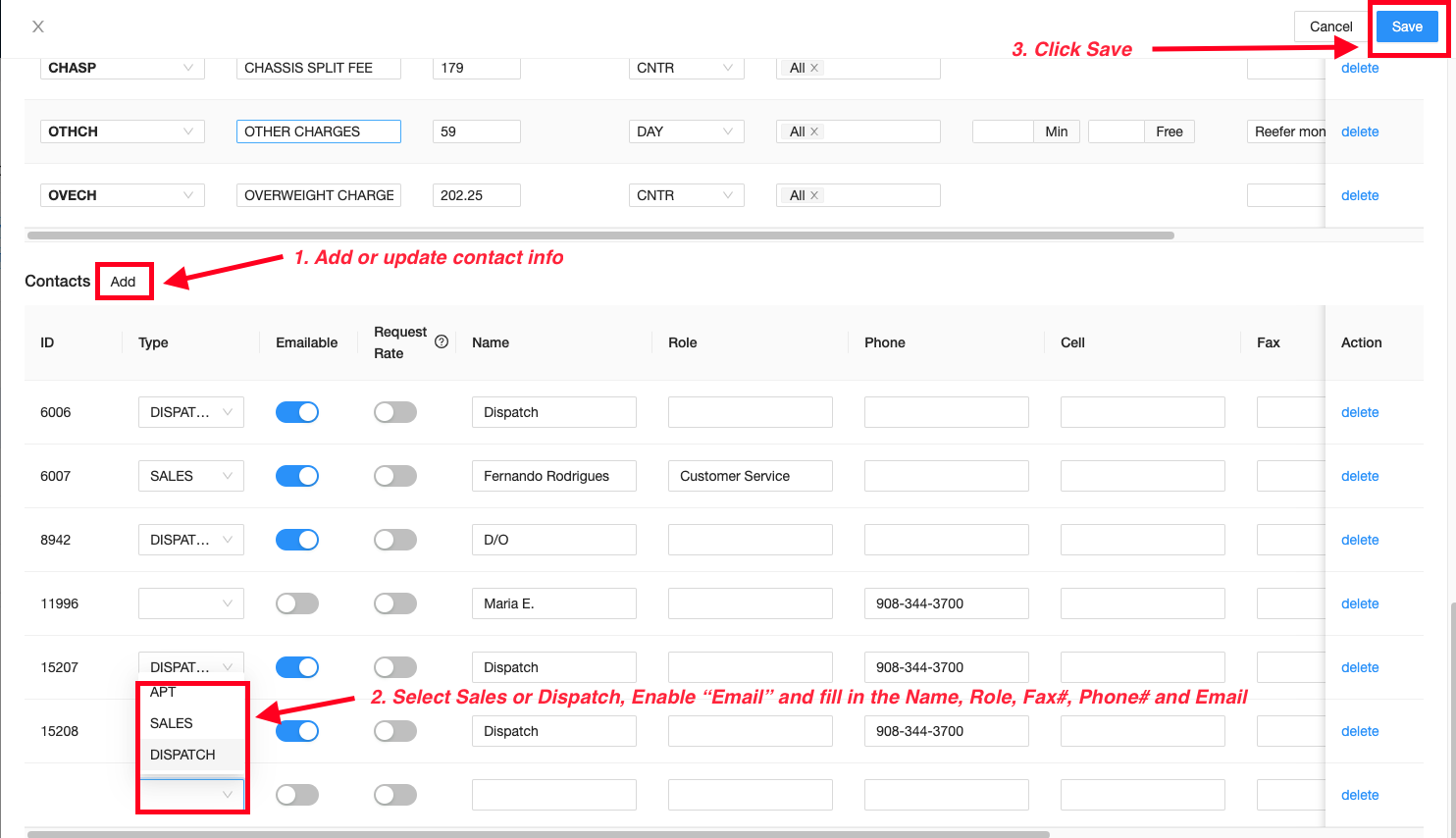
A.2. Add or edit necessary information based on email or from DO. Once done, click Save.
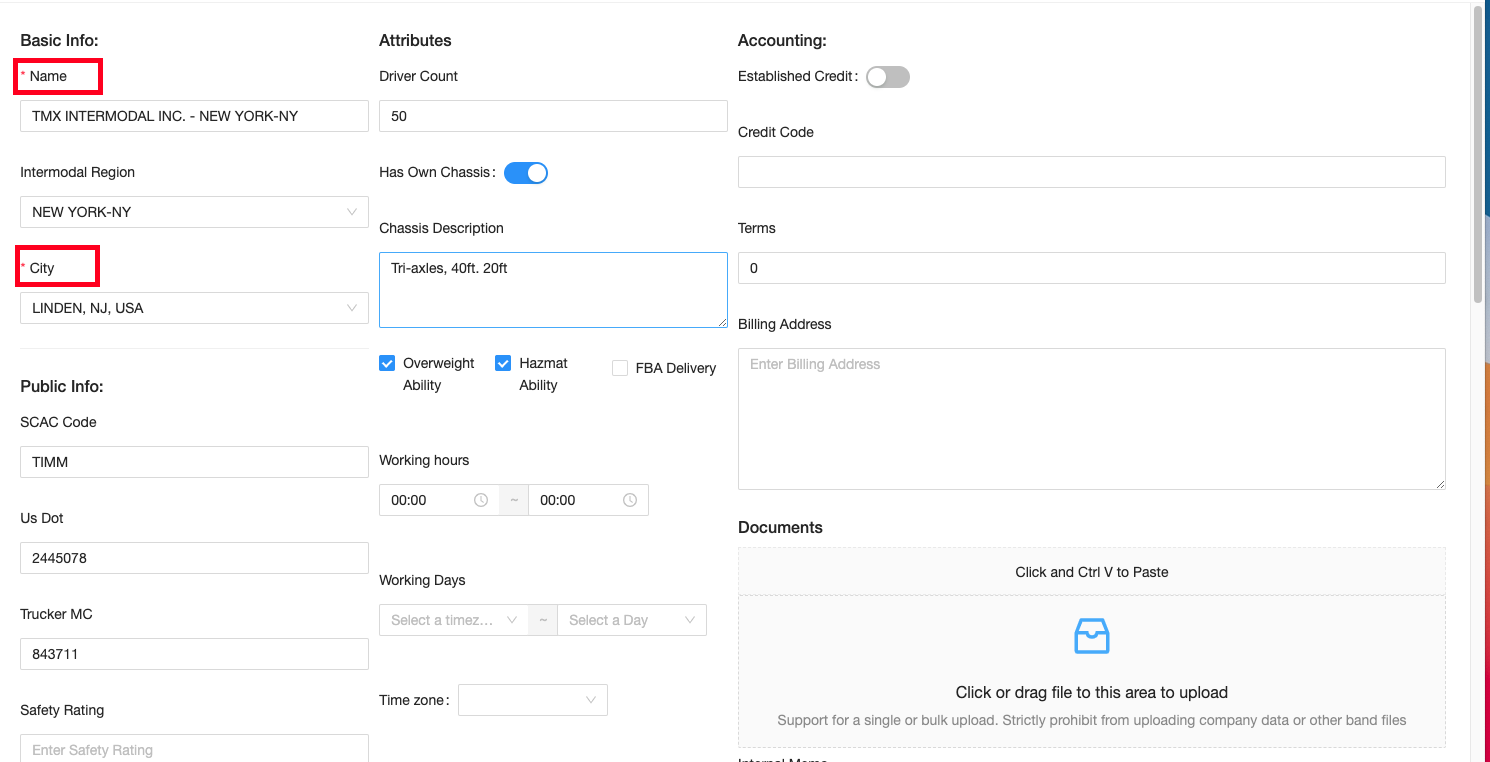
B.1. Update vendor information using Entity, Vendor Tab. Click New Vendor.
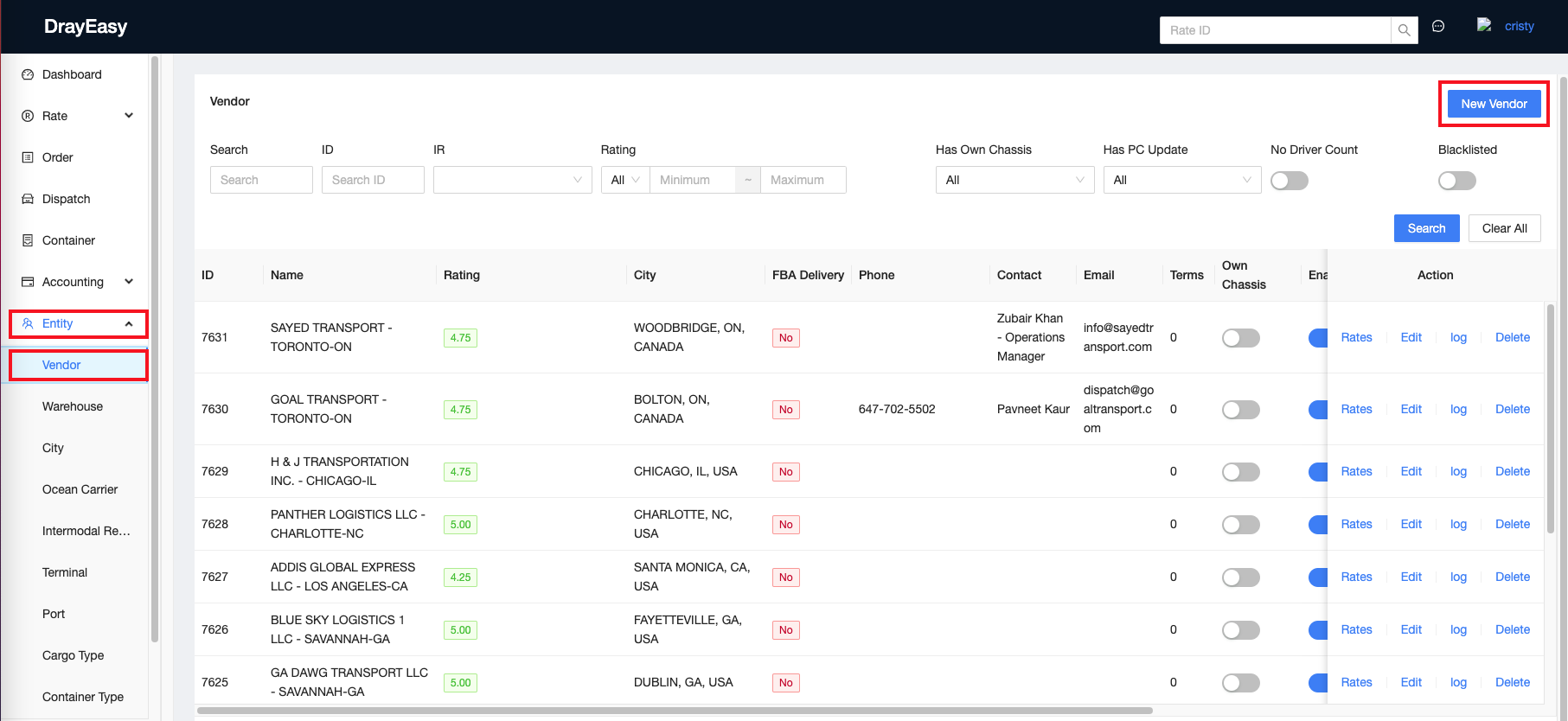
B.2. Enter the vendor name, click Search and Edit.

B.3. Add or edit necessary information based on email or from DO. Once done, click Save.