How to Cancel an Order
cristy
2022-12-11 19:18:07
1. Log in to https://admin.drayeasy.com.
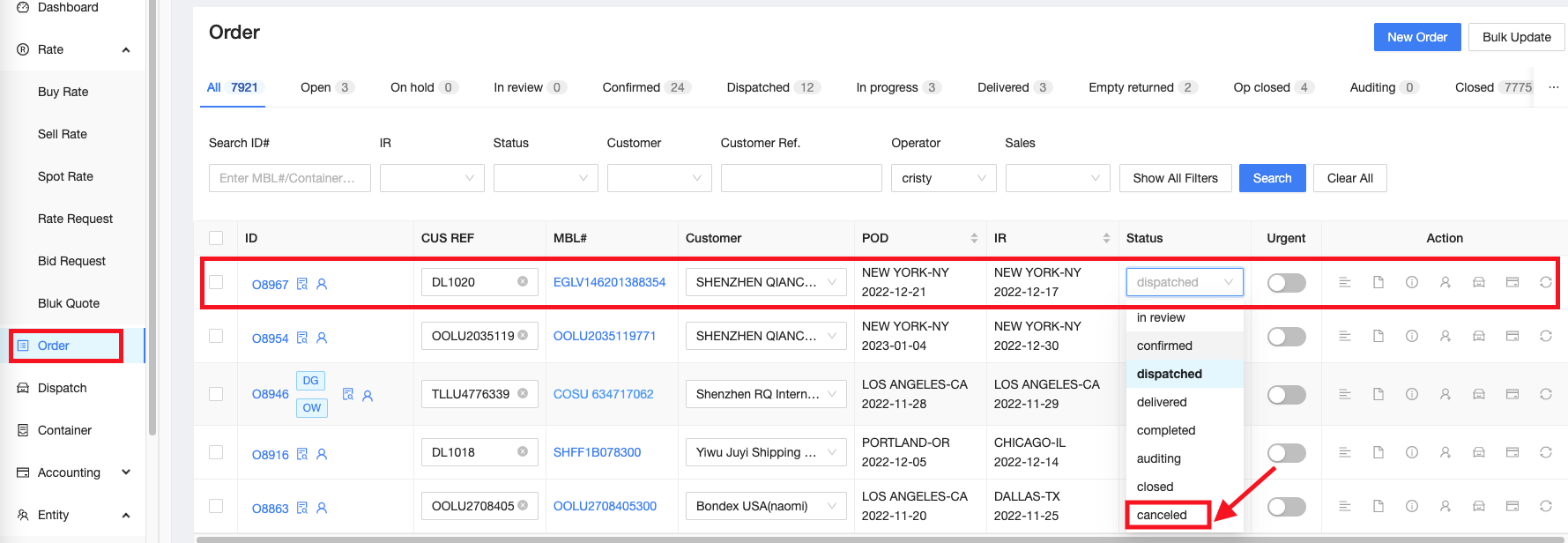
2. Go to Order, find the container and change the status to Cancelled (select from the dropdown list).
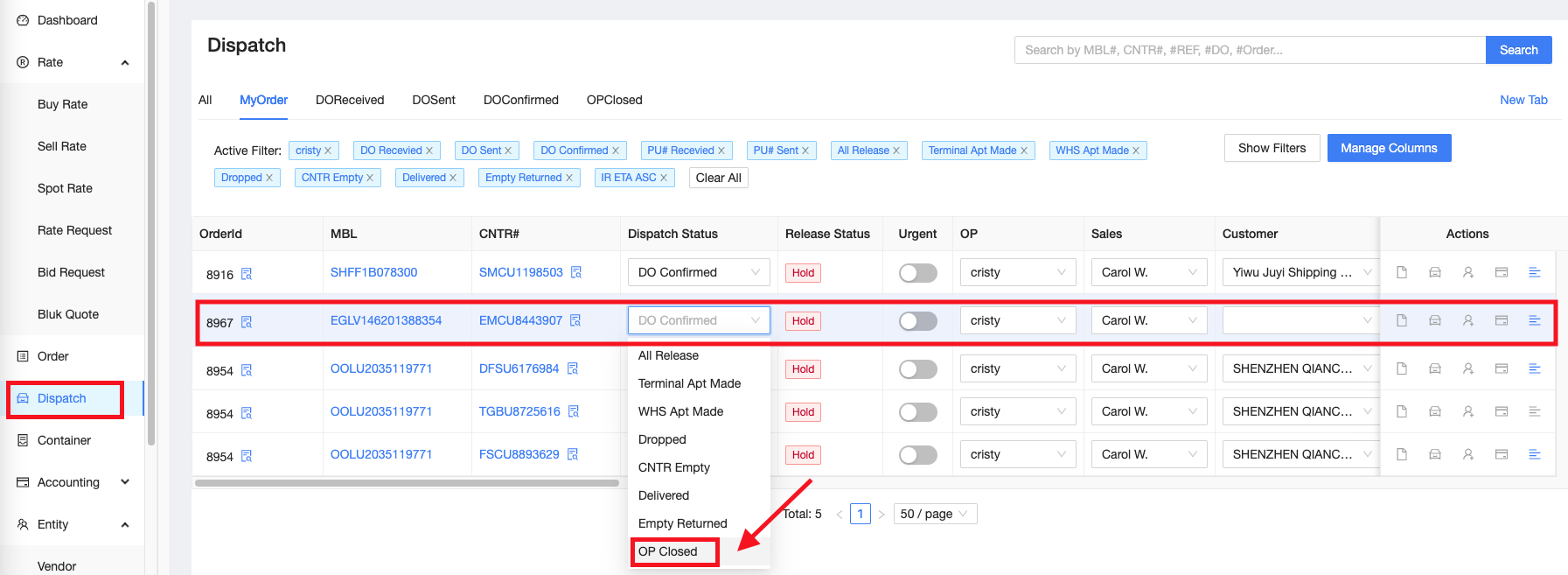
2. Go to Dispatch, find the container and change the status to OP Closed.
3. Notify the customer, let them know also if there's any cancellation fee. Sales should be copied on the email.
4. Send an email to vendor to cancel the order and get their confirmation that it is cancelled on their end.