How to create a delivery warehouse
Eroiza
2022-12-12 16:45:41
How to create a Delivery Warehouse
1. Log in at https://admin.drayeasy.com/
2. Go to Entity Tab then select Warehouse.
3. Then click New Warehouse on the Upper right corner of the screen
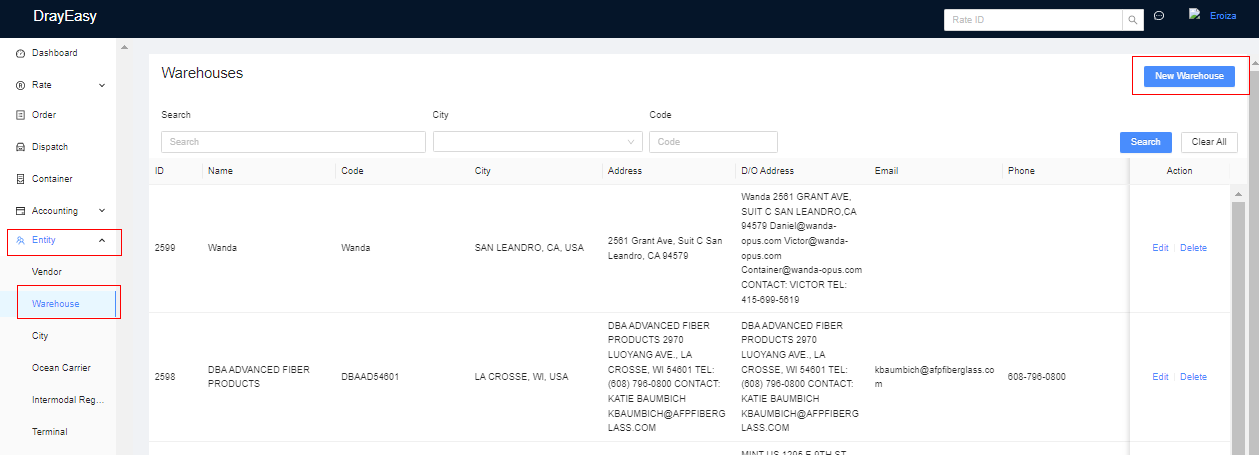
4. After clicking New Warehouse, this will appear and you will input all necessary info. All info to be entered here are from DO sent by Customer or confirm with them or Salesperson.
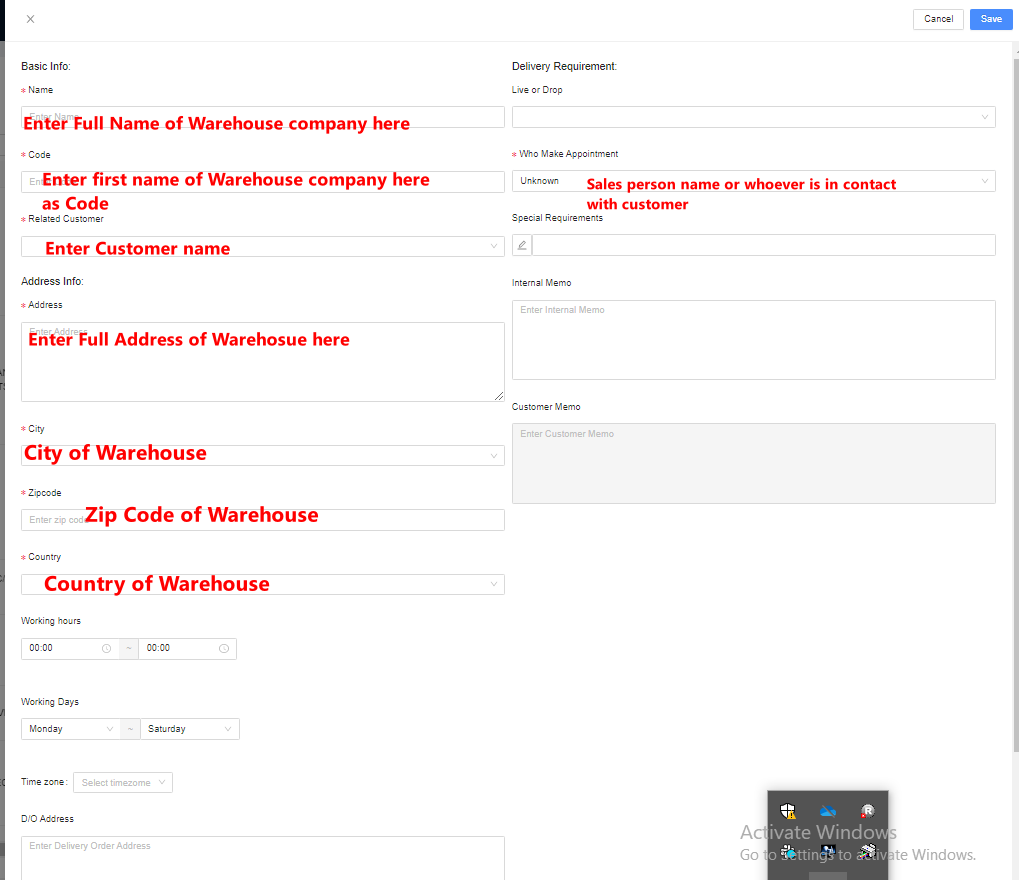
5. Ensure all information are correct and once done, click Save in the upper right corner.