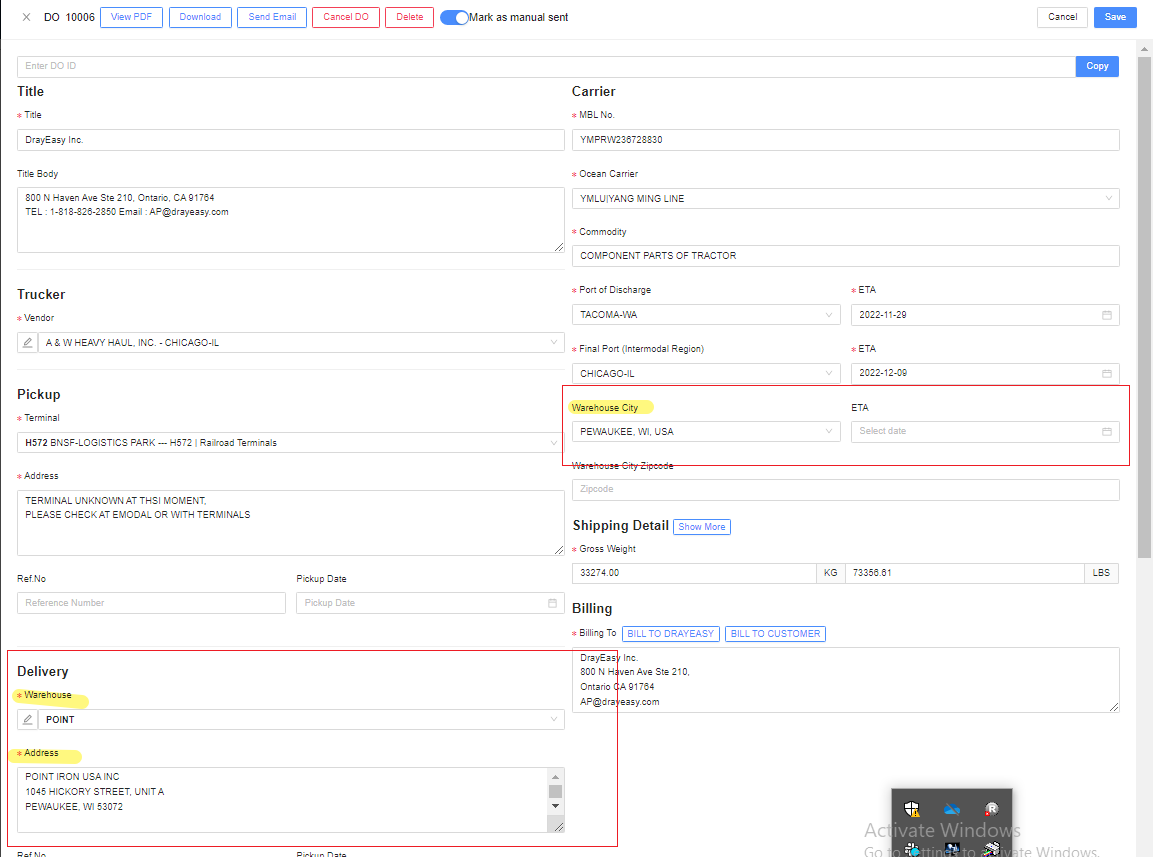
How to Update Warehouse Information
1. Log in to https://admin.drayeasy.com/
A. Updating on Dispatch tab
A.2. Go to Dispatch and click the Pencil beside the Warehouse name of your container and change the Warehouse name.
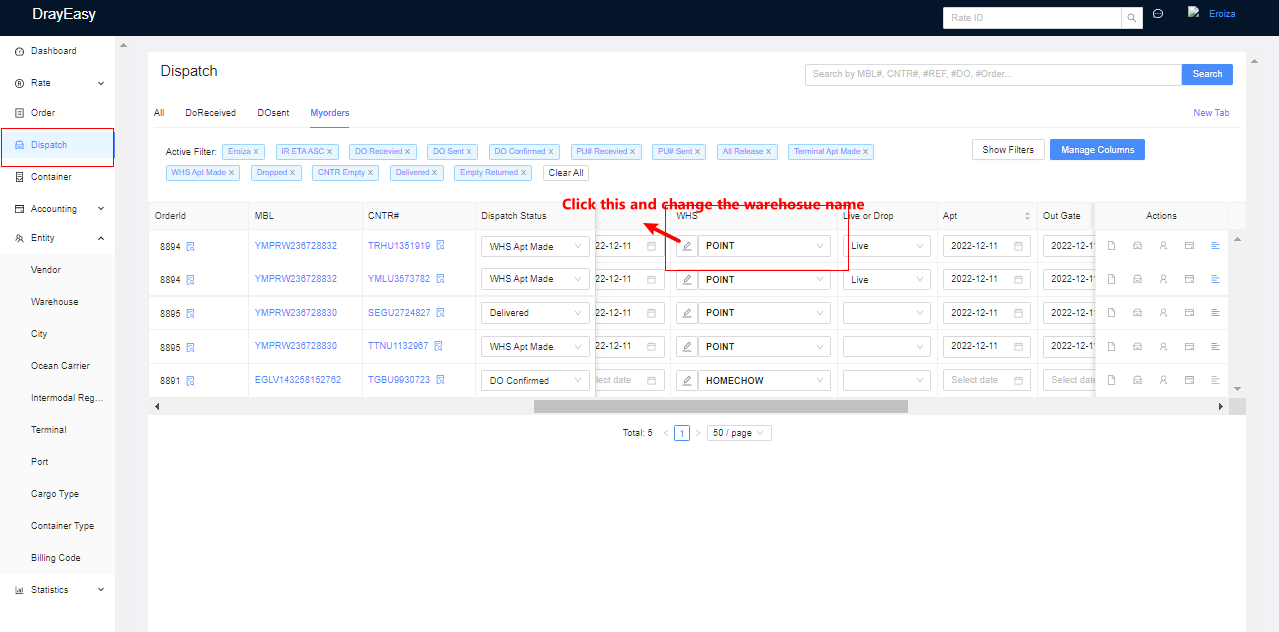
A.3. Once you click the "Pencil" you'll be prompted to the below page and here, you'll update the information with asterisk. 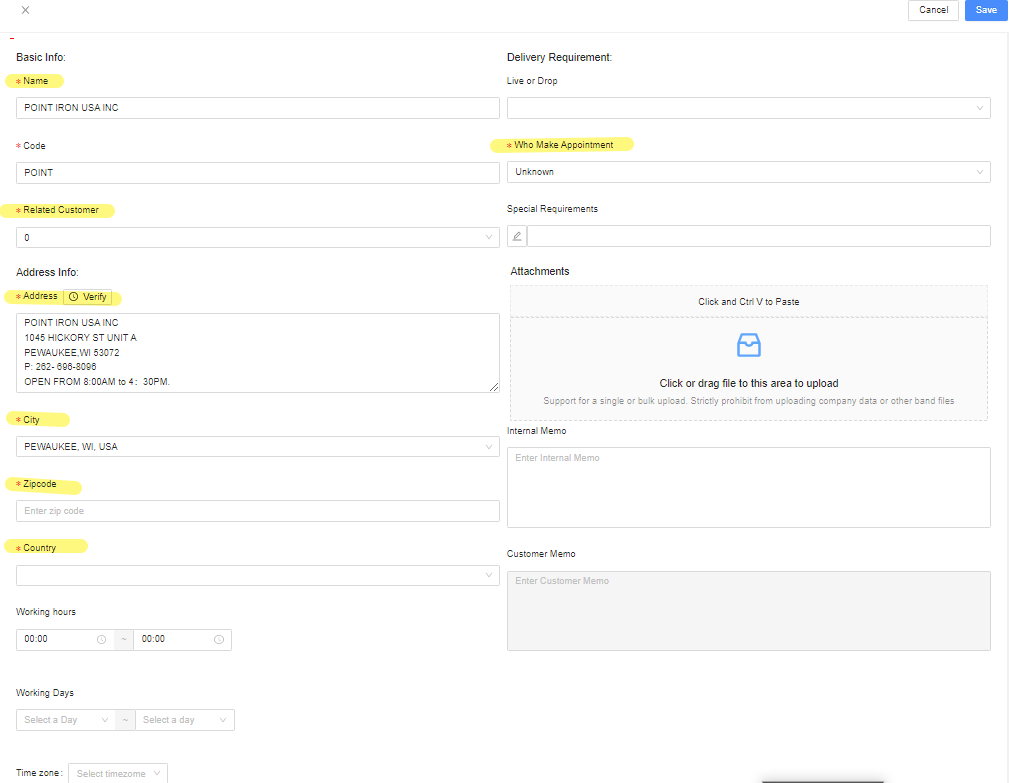
A.4. Then click Save on the Upper right corner.
B. Updating on Warehouse Tab
B.2. Go to Warehouse Tab then search for the Warehouse name you wanted to Edit then click Edit.
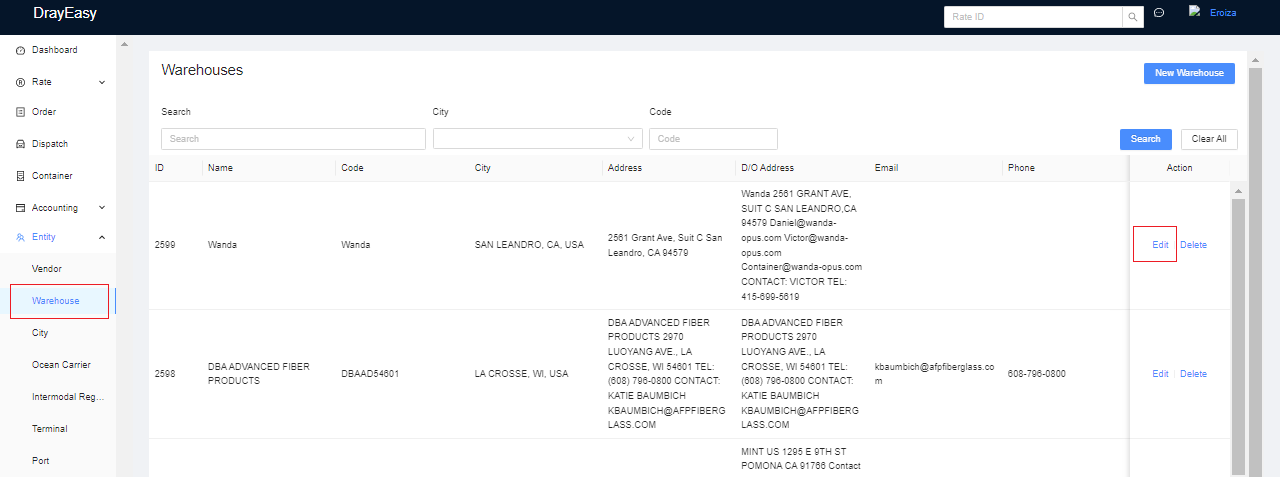
B.2. Then Edit the info with Asterisk (whichever info you wanted to change).
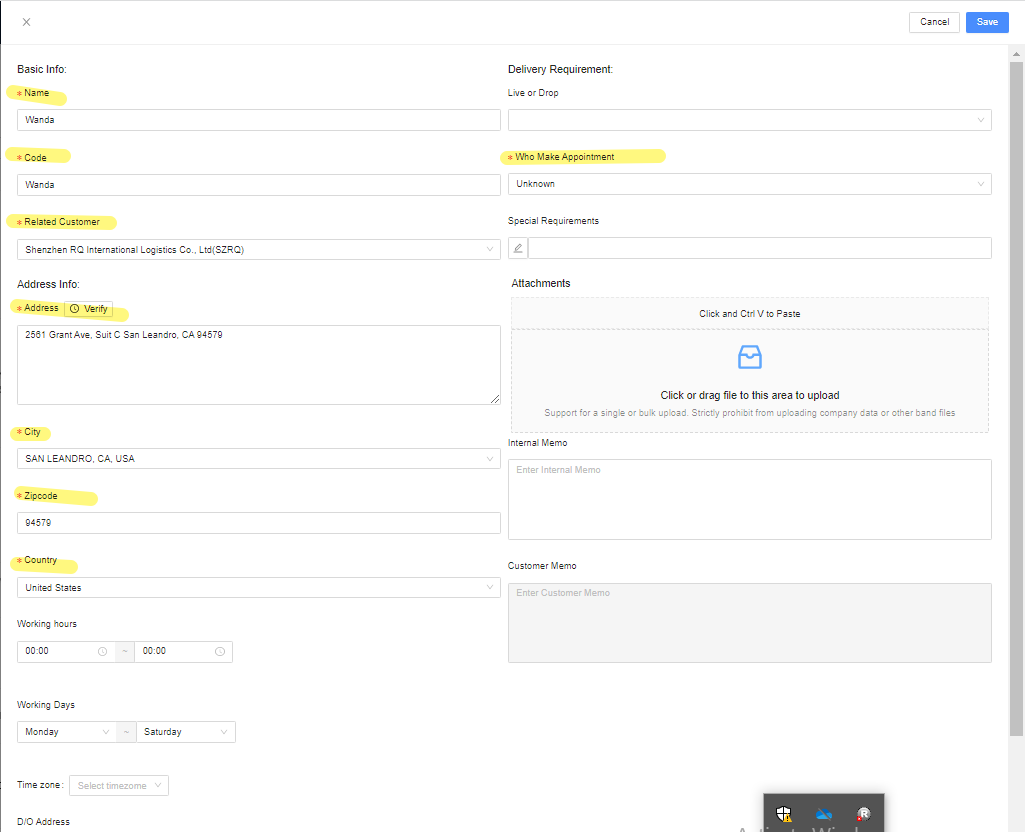
B.3. Click Save
C. In Order Tab
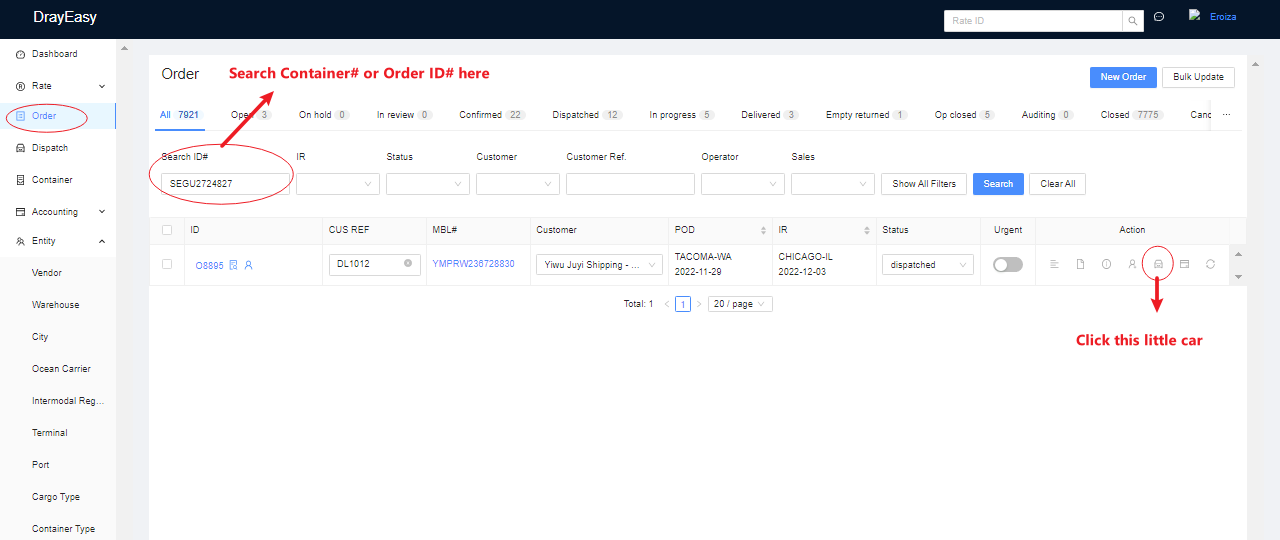
C.2 Go to Order Tab and search the container that you want to edit the warehouse info then click the Little Car icon.
C.3. Click the DO#
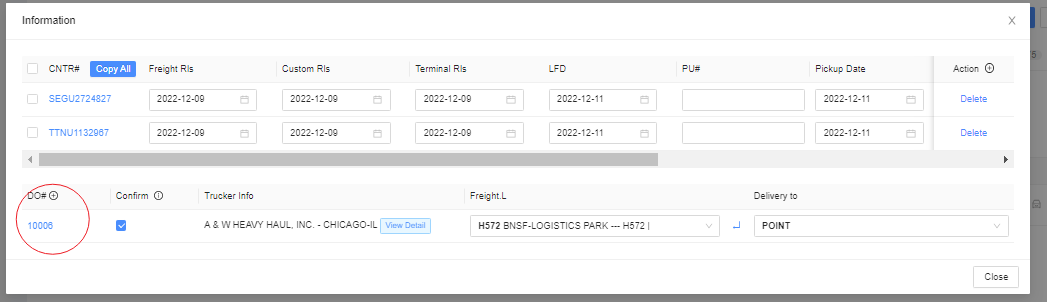
C.4. Change the Warehouse info highlighted below then click Save.