A. Create Ne Quote Request
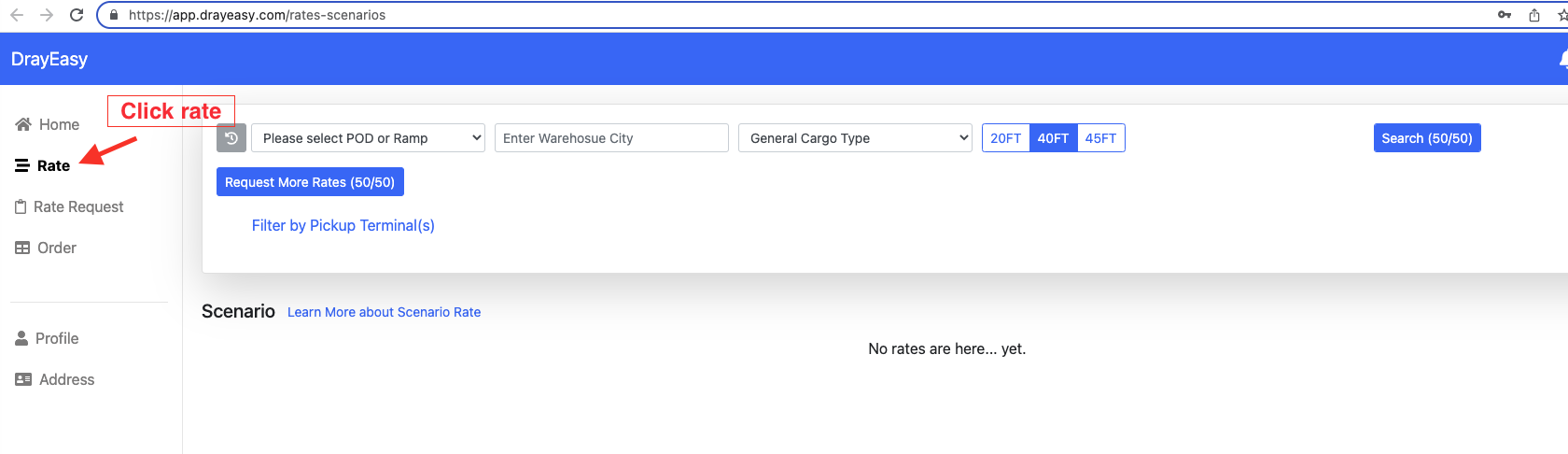
1. Log in to https://app.drayeasy.com/rates-scenarios and search rate.
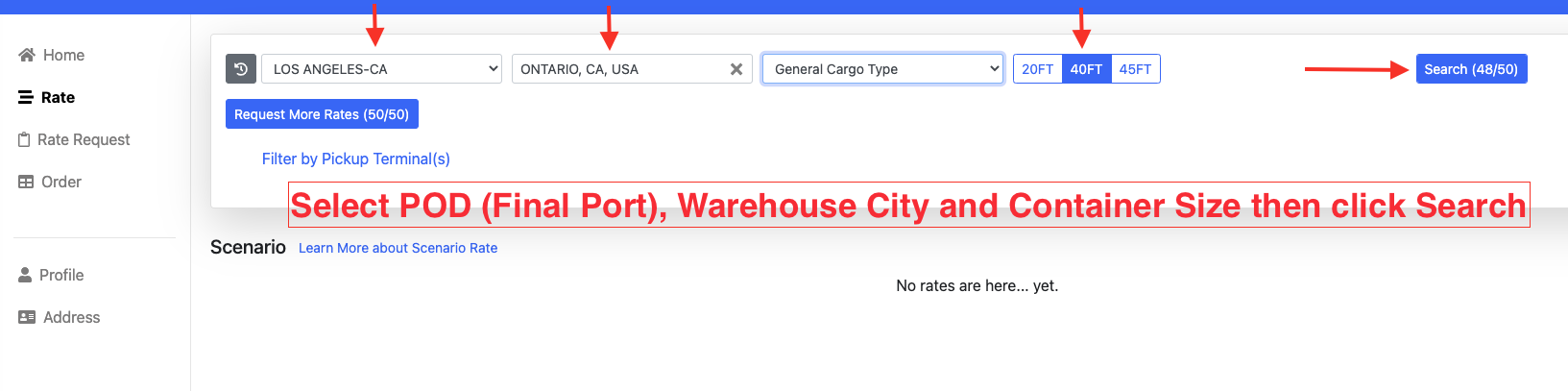
2. Enter the below info based on order ID/ container # or from email.
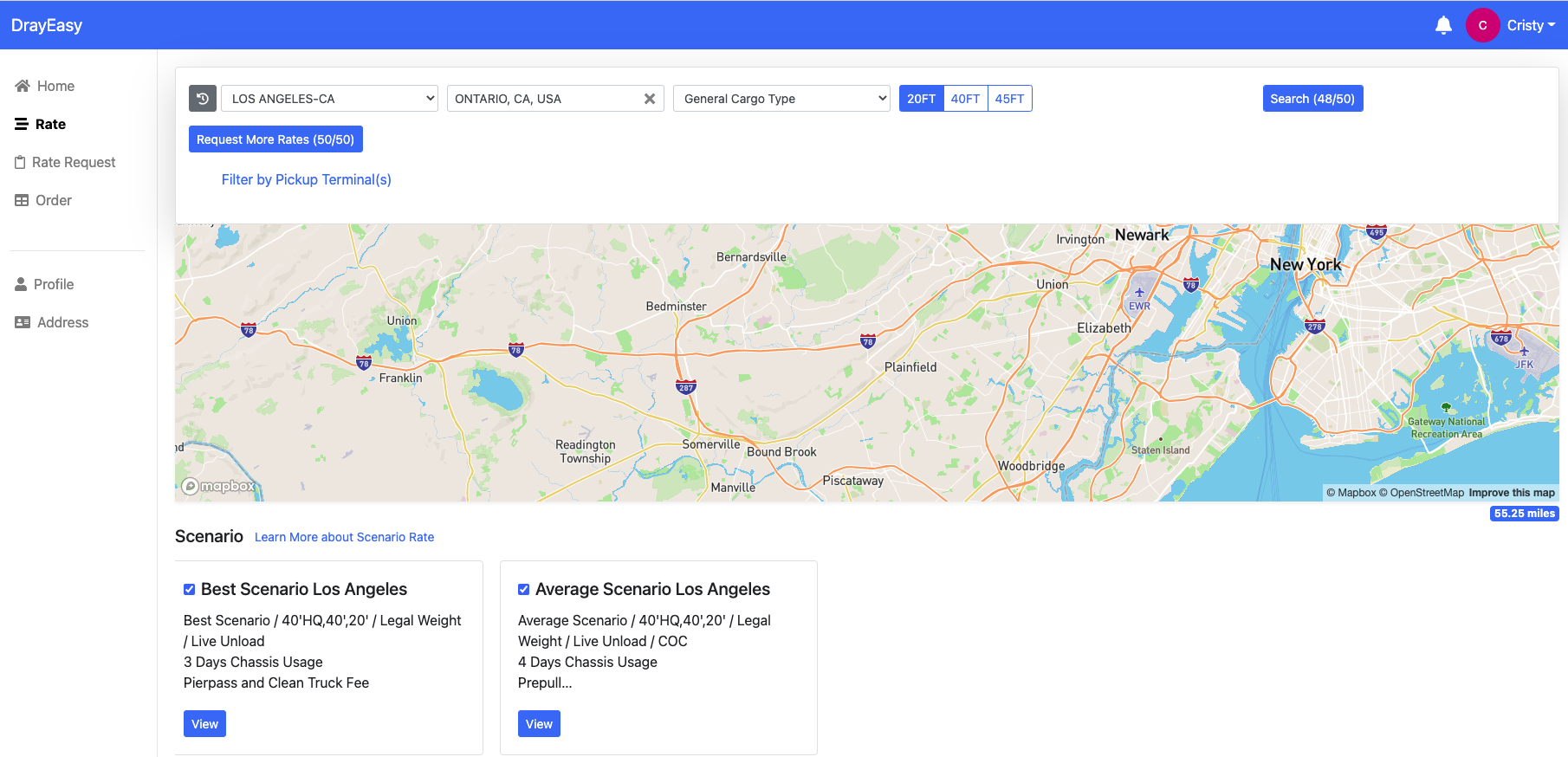
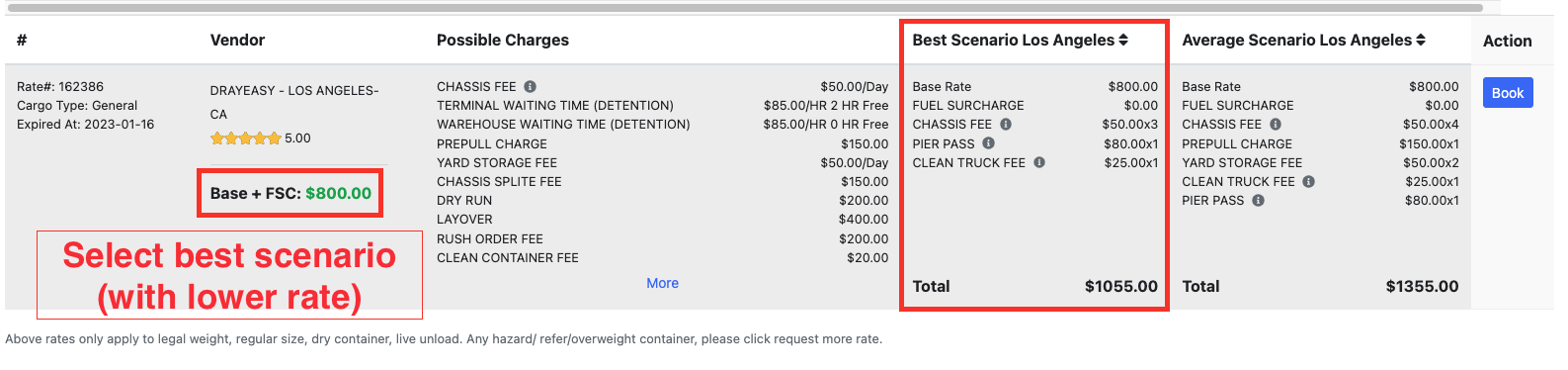
Possible Charges: Charges might happen in the port/ramp.
Best Scenario: Best scenario includes base, FSC and other known fixed charges. This is the minimum actual charge on the bill if everything goes smooth.
Average Scenario: Average scenario includes all the known charges per port/ramp and other charges that occur frequently based on the bills we received. 95% of the bills are below the average scenario rate. The Average Scenario is NOT a guarantee of the maximum charge of you bill. It’s just a tool to help you understand the potential charges from each port/ramp so you could plan your budget wisely.
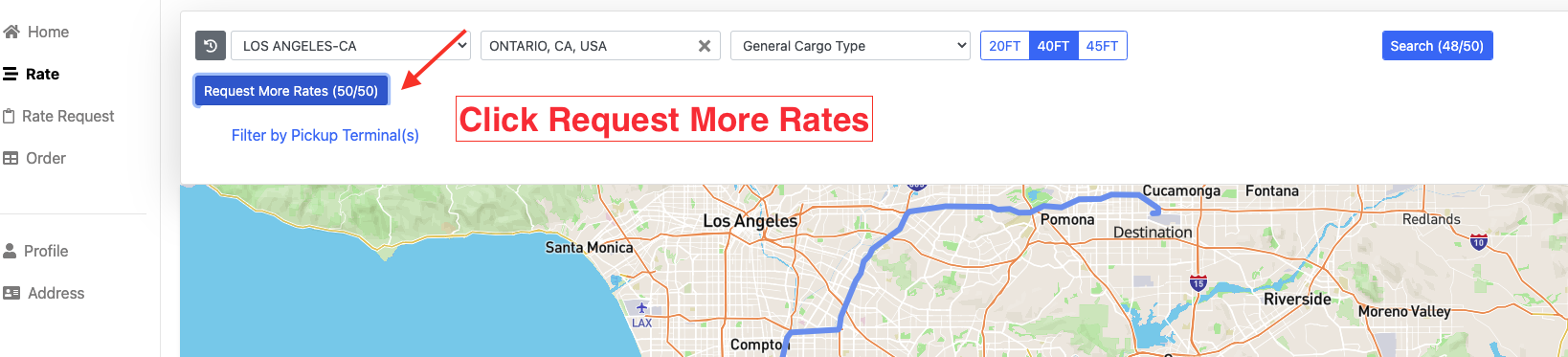
3. If there's a need for more rates, click Request More Rates.
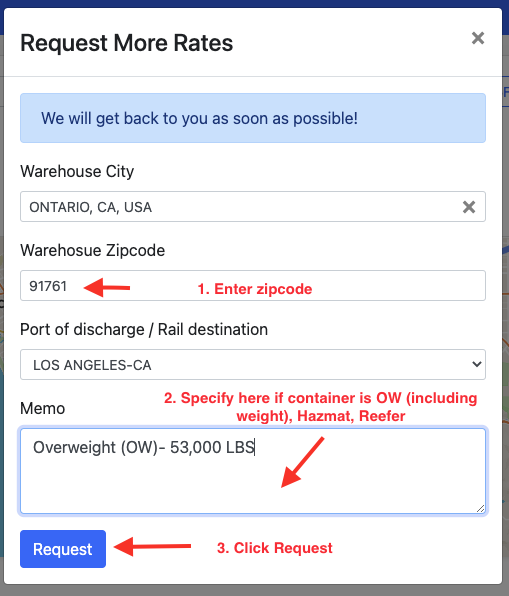
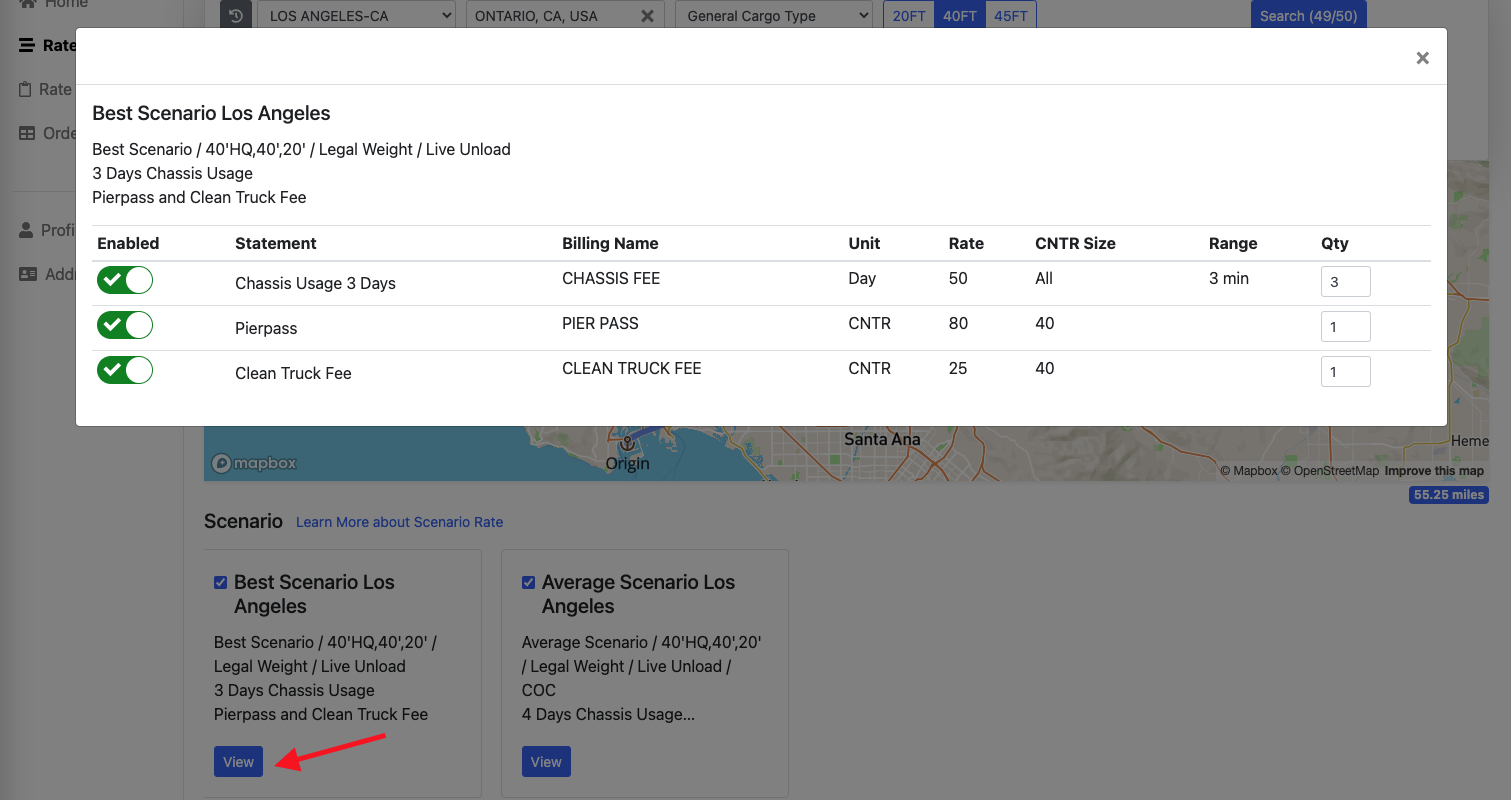
4. Go to Rate Request tab and check the status of the request.


This rate table will appear when we click "View."
**Created status - request was sent but there's no feedback yet.
**Completed status - we were able to get rates from customer.
**Rejected status - below are the common scenarios why our request is being rejected.
1. If we requested a rate where the distance is over 200 miles from port (IR) to final destination (warehouse city).
2. Container is overweight or beyond the allowable weight limit.
*Please note that when our request is rejected or we're not able to get rates from the system, we can send an email directly to the customer to request for more rates.
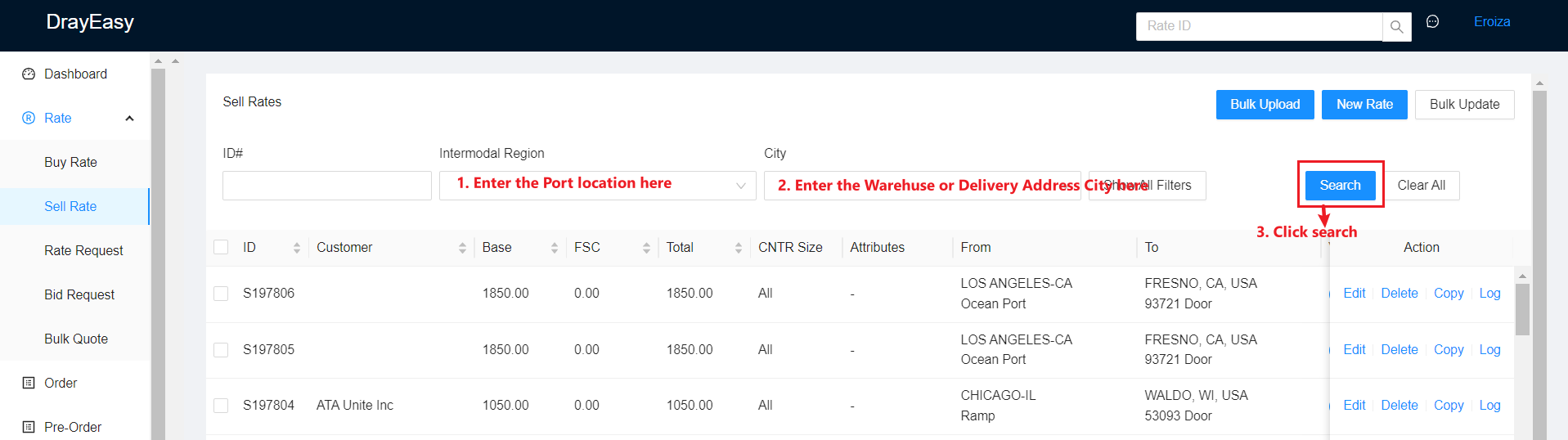
B. Search for Sell Rate in https://admin.drayeasy.com/
1. Log in to https://admin.drayeasy.com
2. Go to Rate then to Sell Rate Tab.
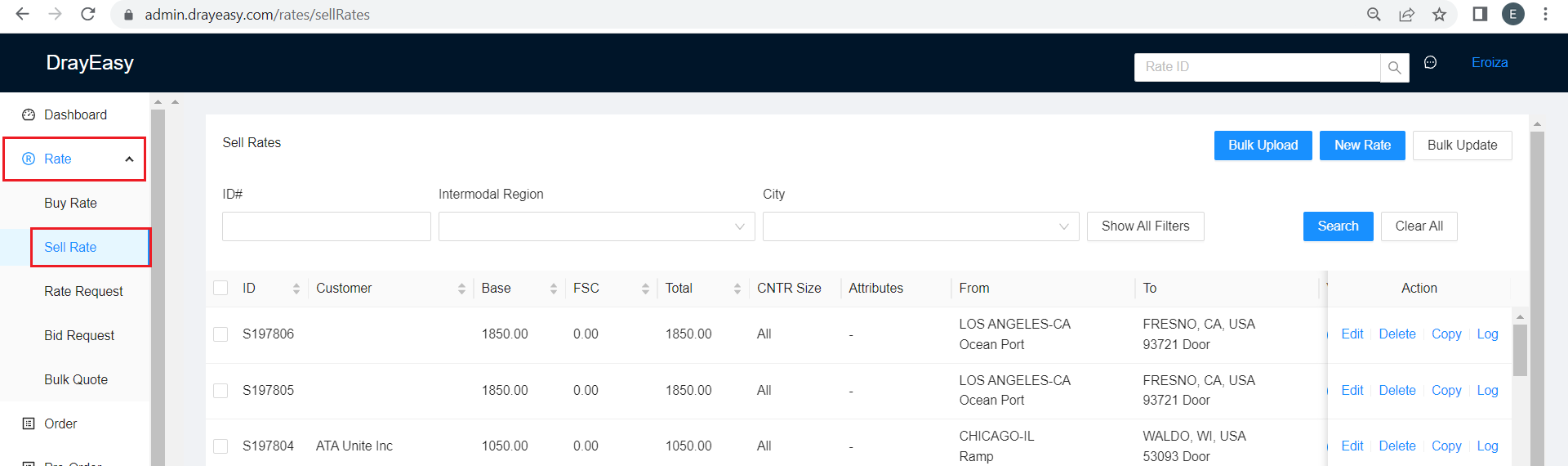
3. Search by Sell Rate ID if you already know the ID number.
4. Or enter Intermodal Region and City to find a sell rate ID. Then a list of sell rates for that specific location will appear.