SOP For Making Pre-Del-Appt through the system
Jacy Yang
2023-07-10 16:57:35
This SOP is for using the system to send Pre-Del Appt automatically. Please be advised we need to send Pre-Del-Appt every time no matter this is a new or old facility.
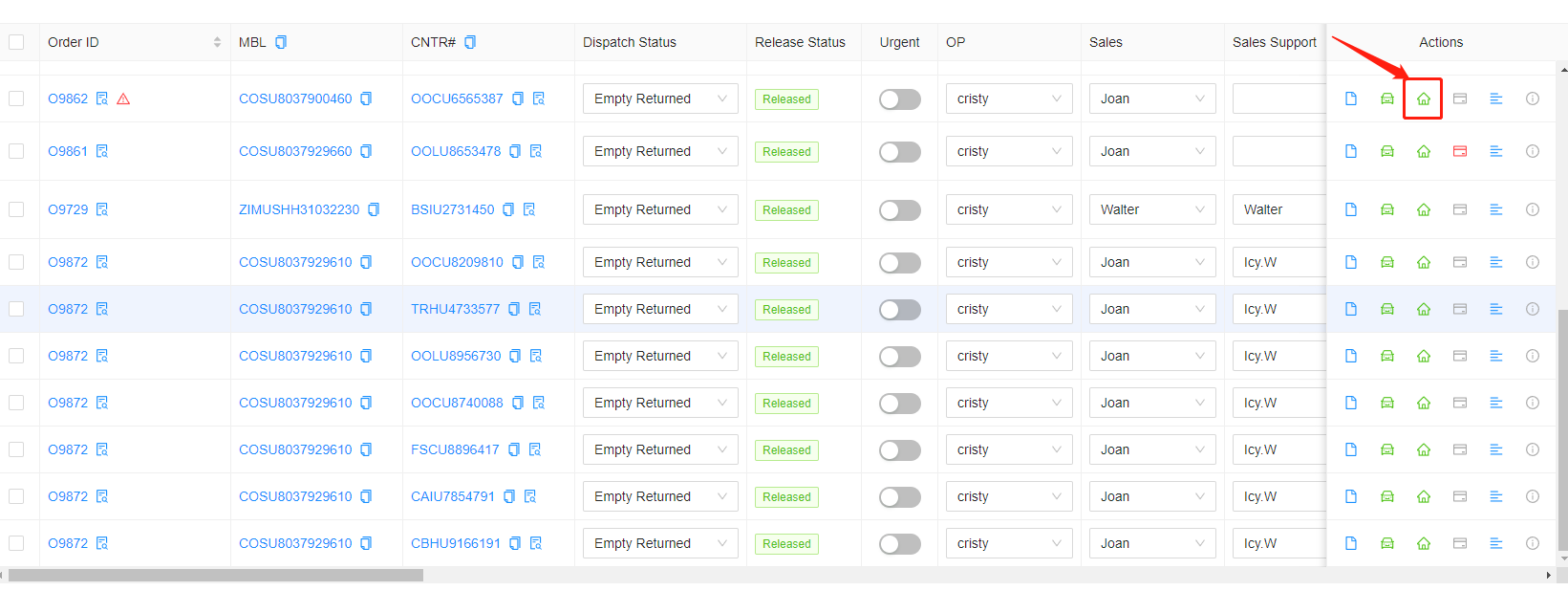
1. Click the warehouse button on the action column.
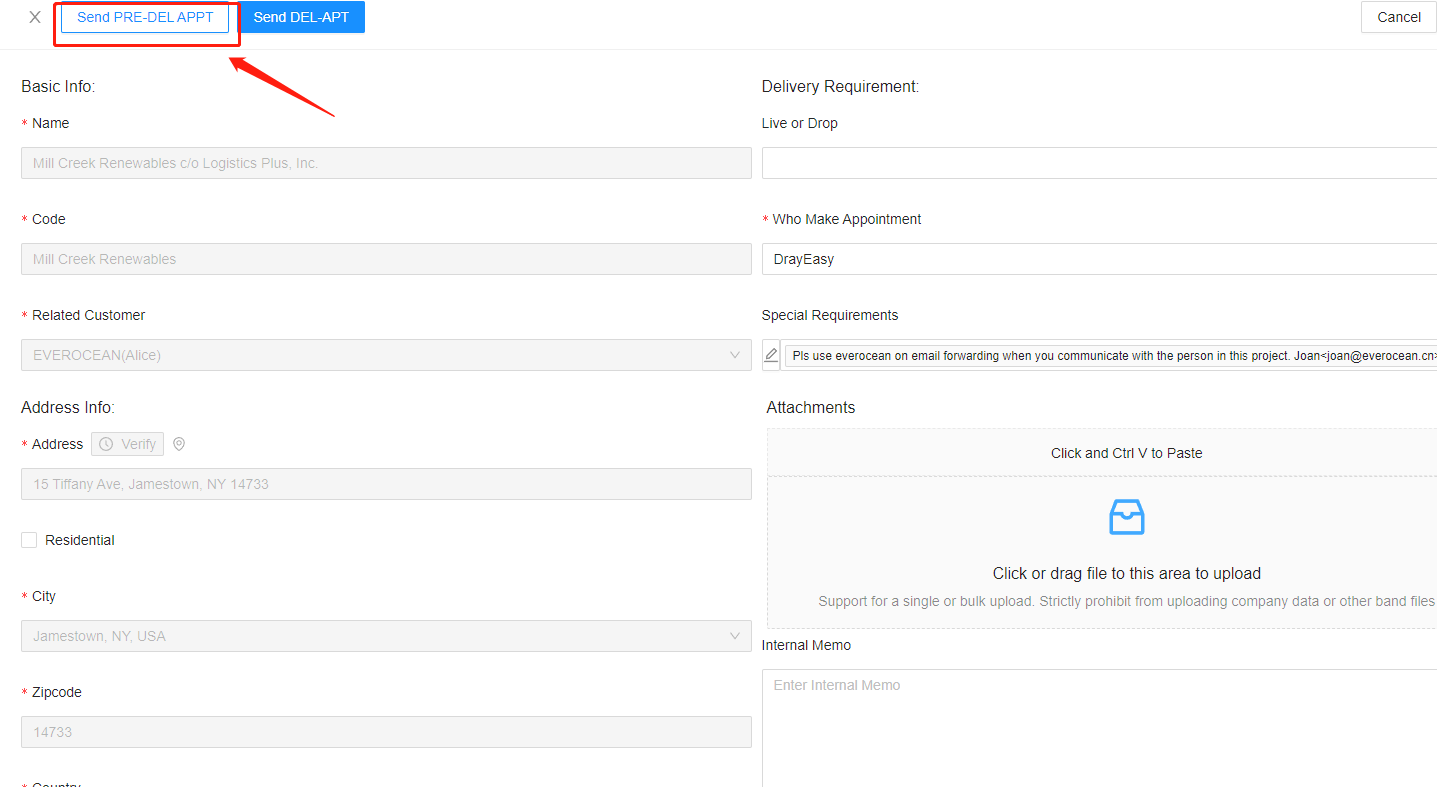
2. Click on "Send PRE-DEL APPT"
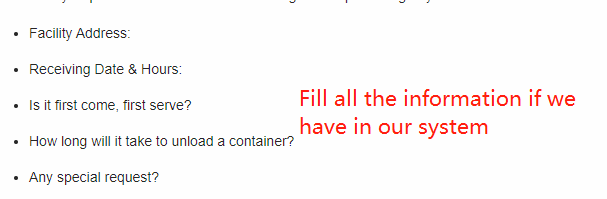
3. check and fill the information in here and make sure everything is checked up.
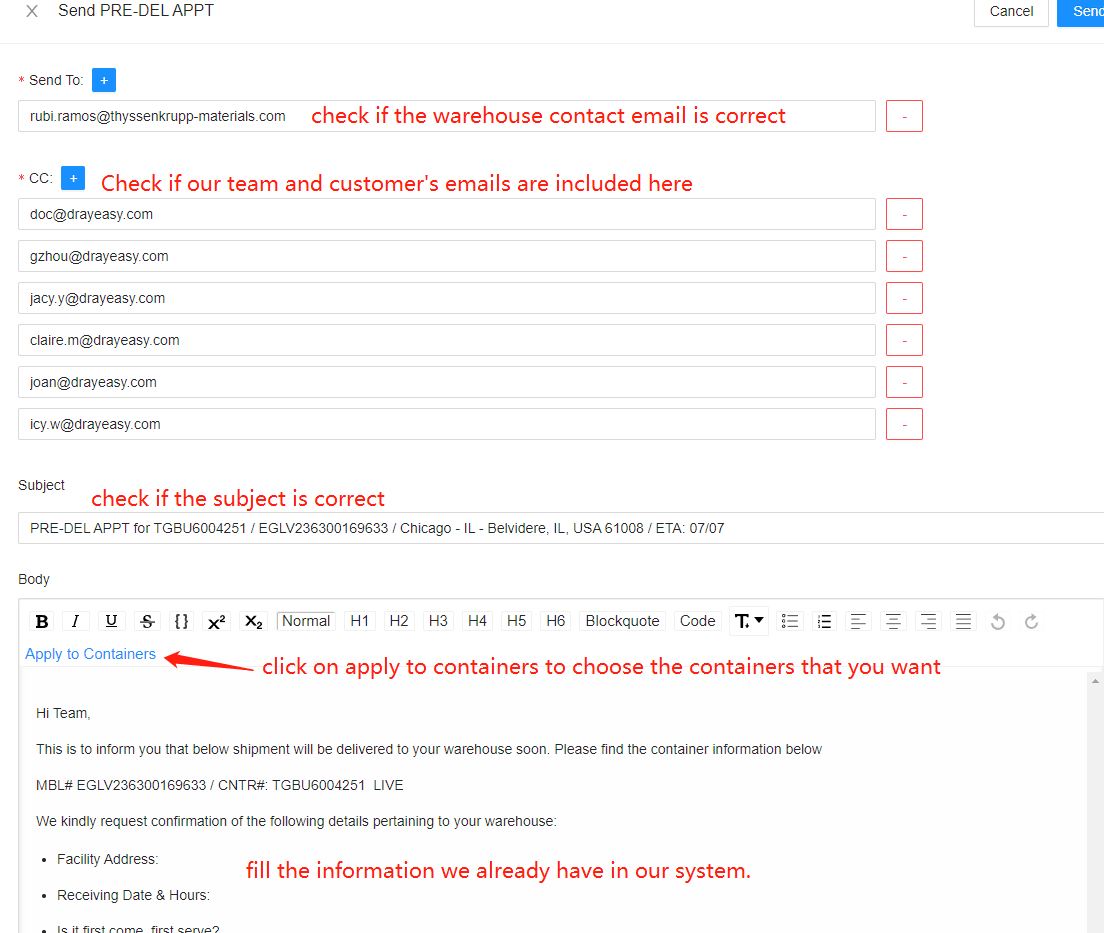
Please follow the below scenarios when checking the details.
- Recipients is the warehouse contact emails(might be multiple)
- cc emails should include Walter, Jacy, sales, sales support, OP, [email protected] and our customer's emails(usually mutiple)
- Subject should be PRE-DEL APPT for Cont# / MBL# / IR - Whs city, USA zip code / ETA: xx/xx
- If we need to send several containers on one email, please click on apply to containers and choose the containers you need to include in this email.
- Body of the email: please check customer memo, internal memo and our dispatch memo and follow up these memos, we need to change our subject or attach Packing List and PO# if needed.
4. After checking everything is correct, click on send