Send DO to Vendor
Judy
2022-12-08 13:38:32
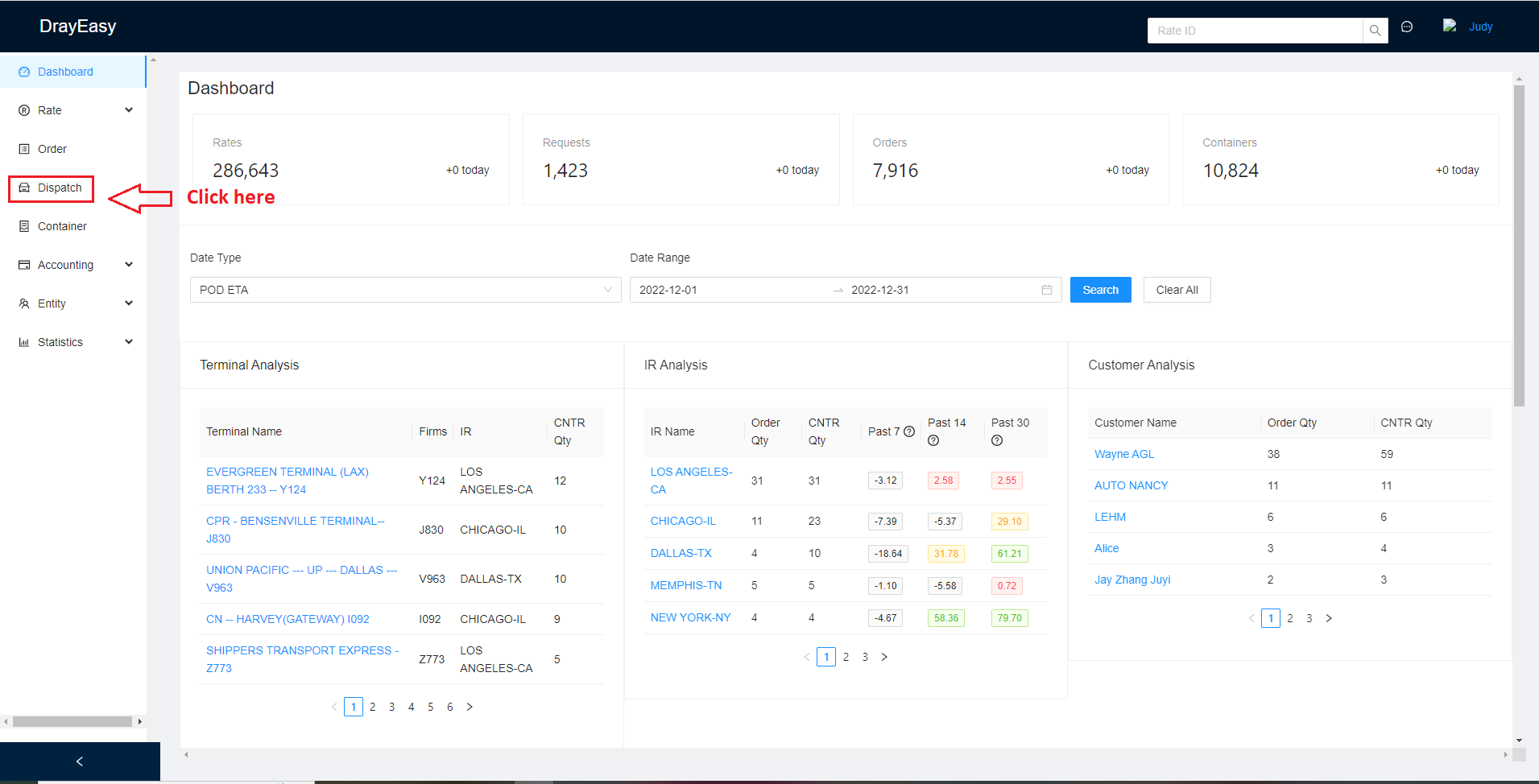
1. Log in to https://admin.drayeasy.com/ ,find the Dispatch bar.
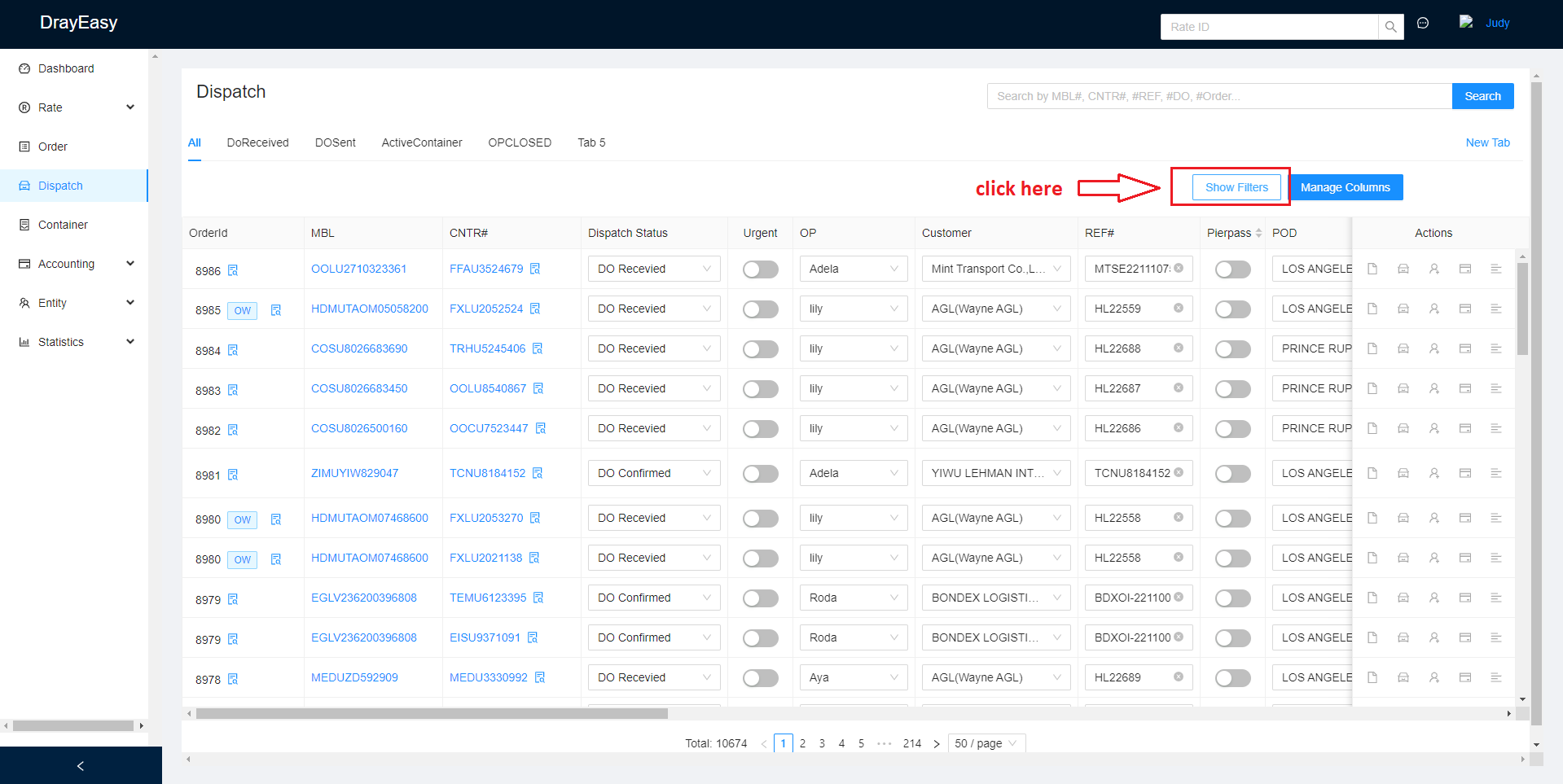
2. Click Show Filters ( if you know the MBL/Container number,you can search it directly)
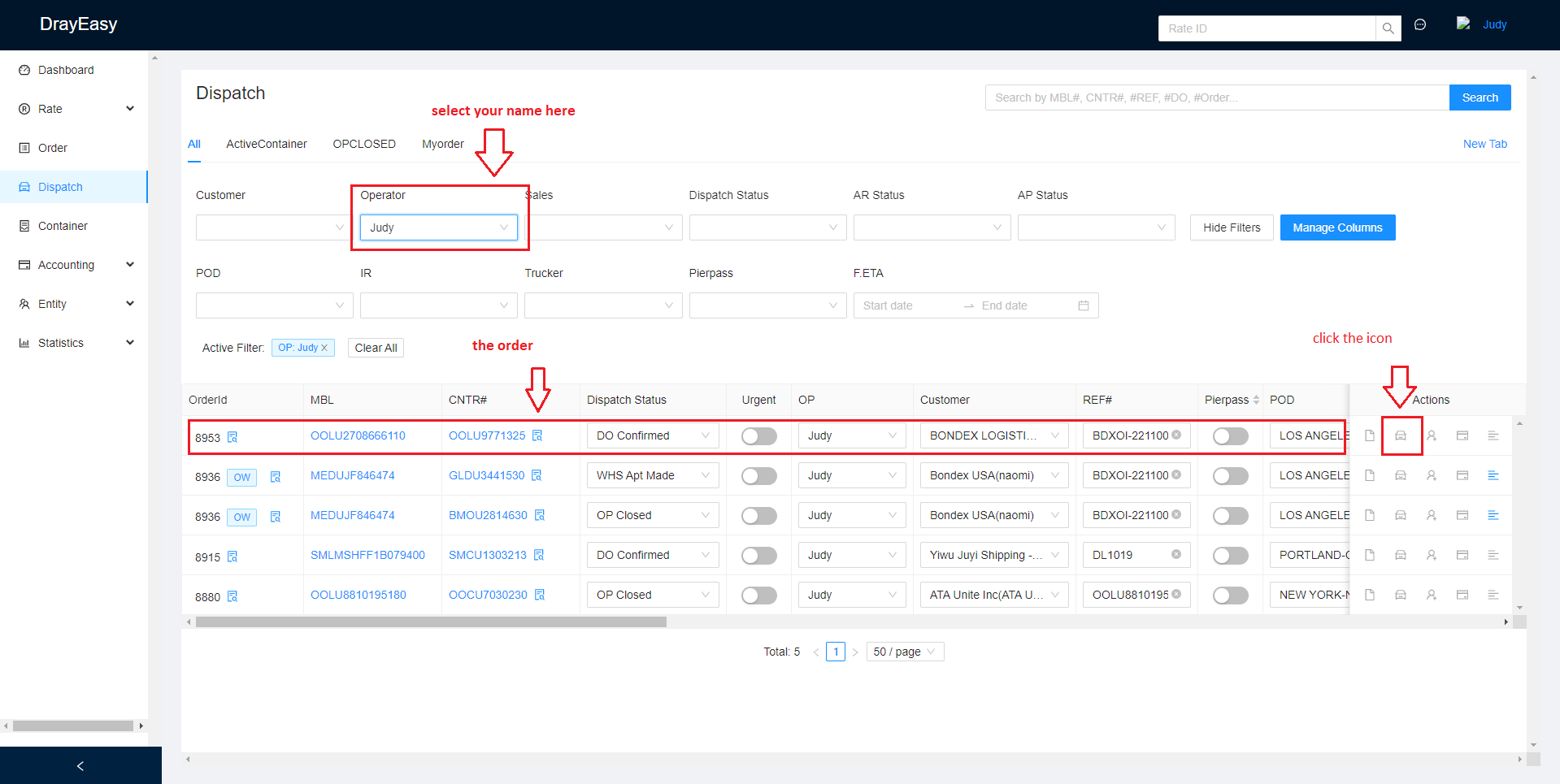
3. Find the Order ID /MBL NO./ Container No.
Select your name on the Operator.
( for ex. MBL# OOLU2708666110 CNTR#OOLU9771325)
Click the little car icon.
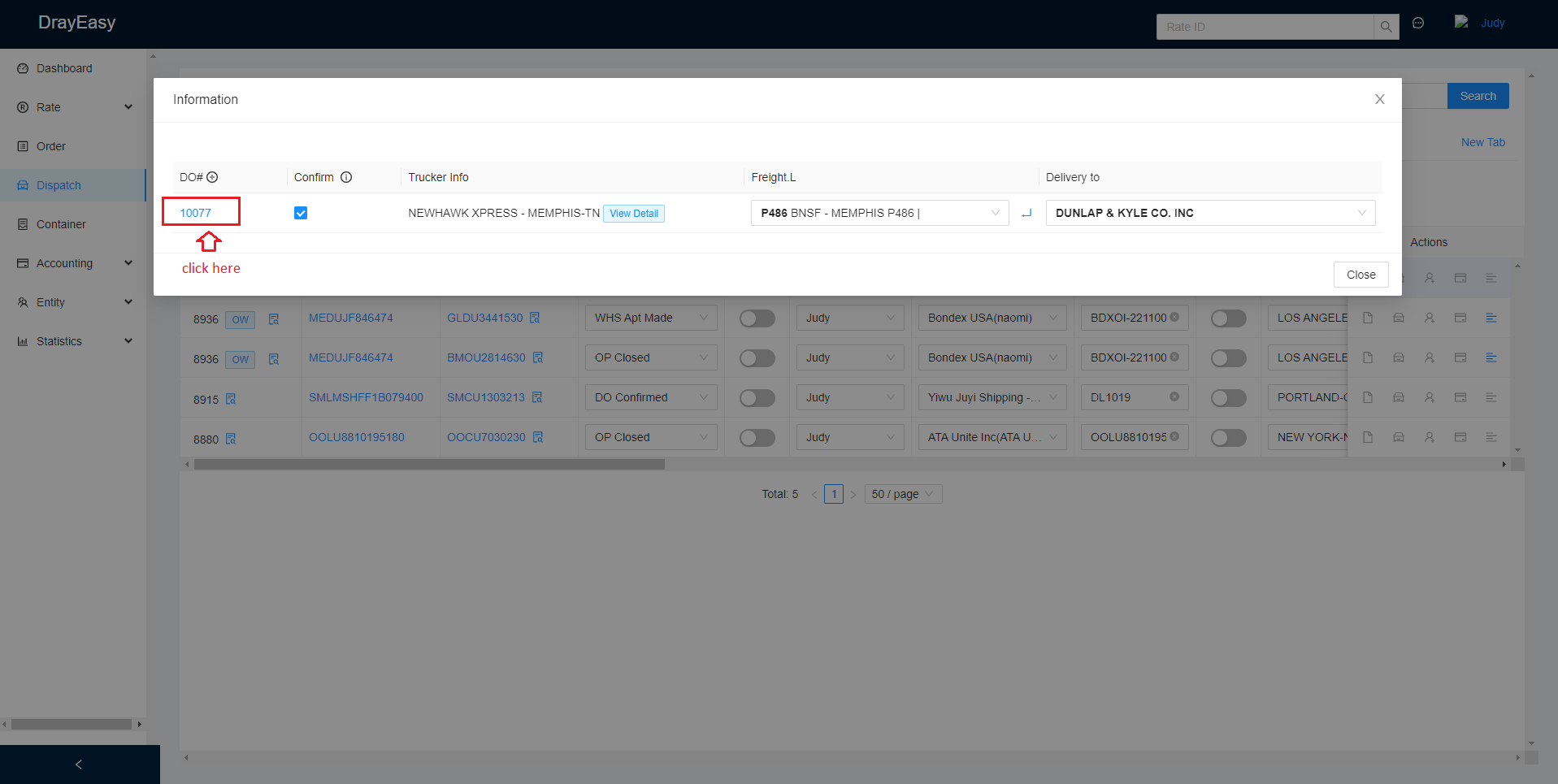
4. Click the DO#.
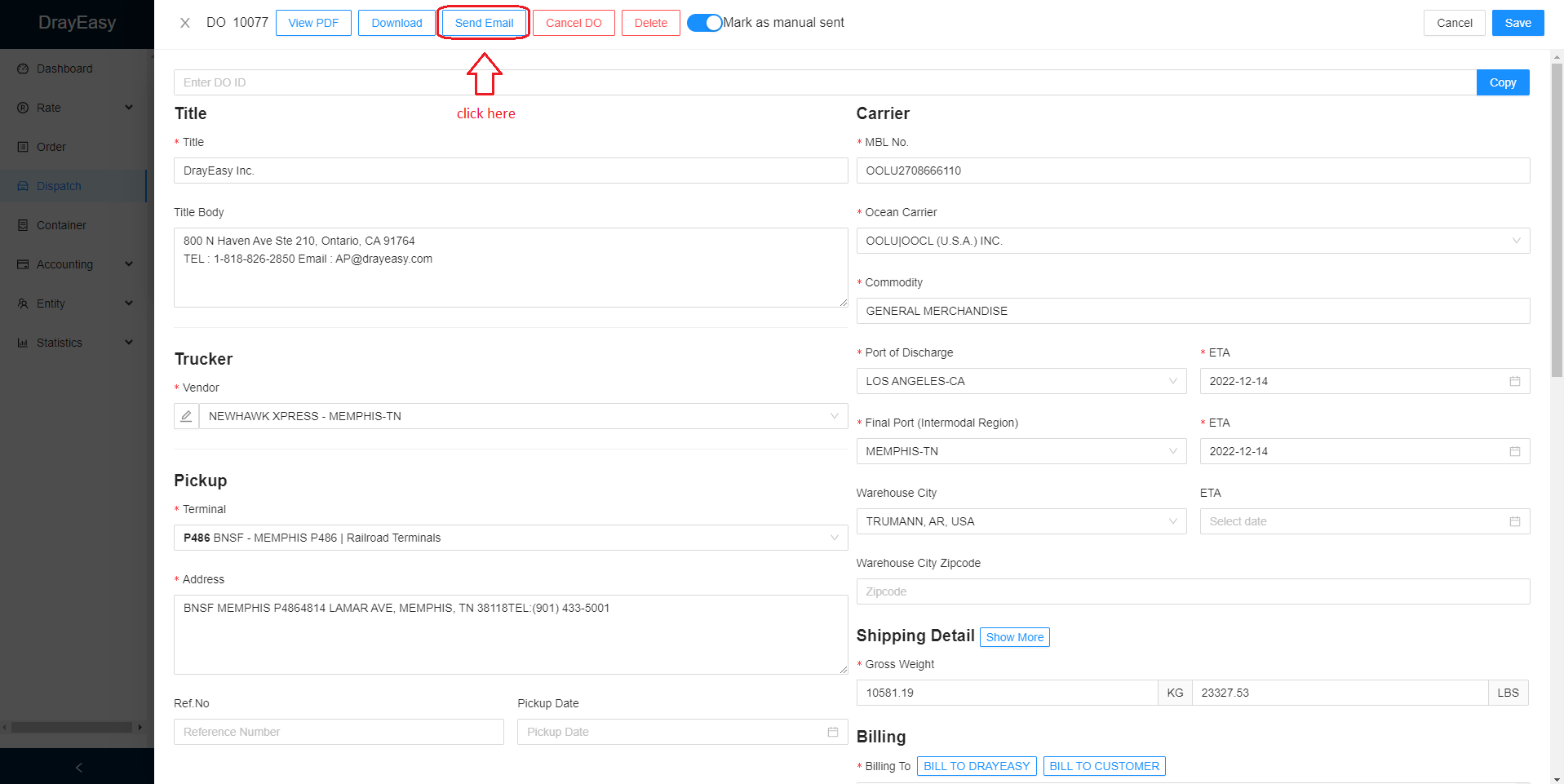
5. Please check all the information if correct then click SEND EMAIL.
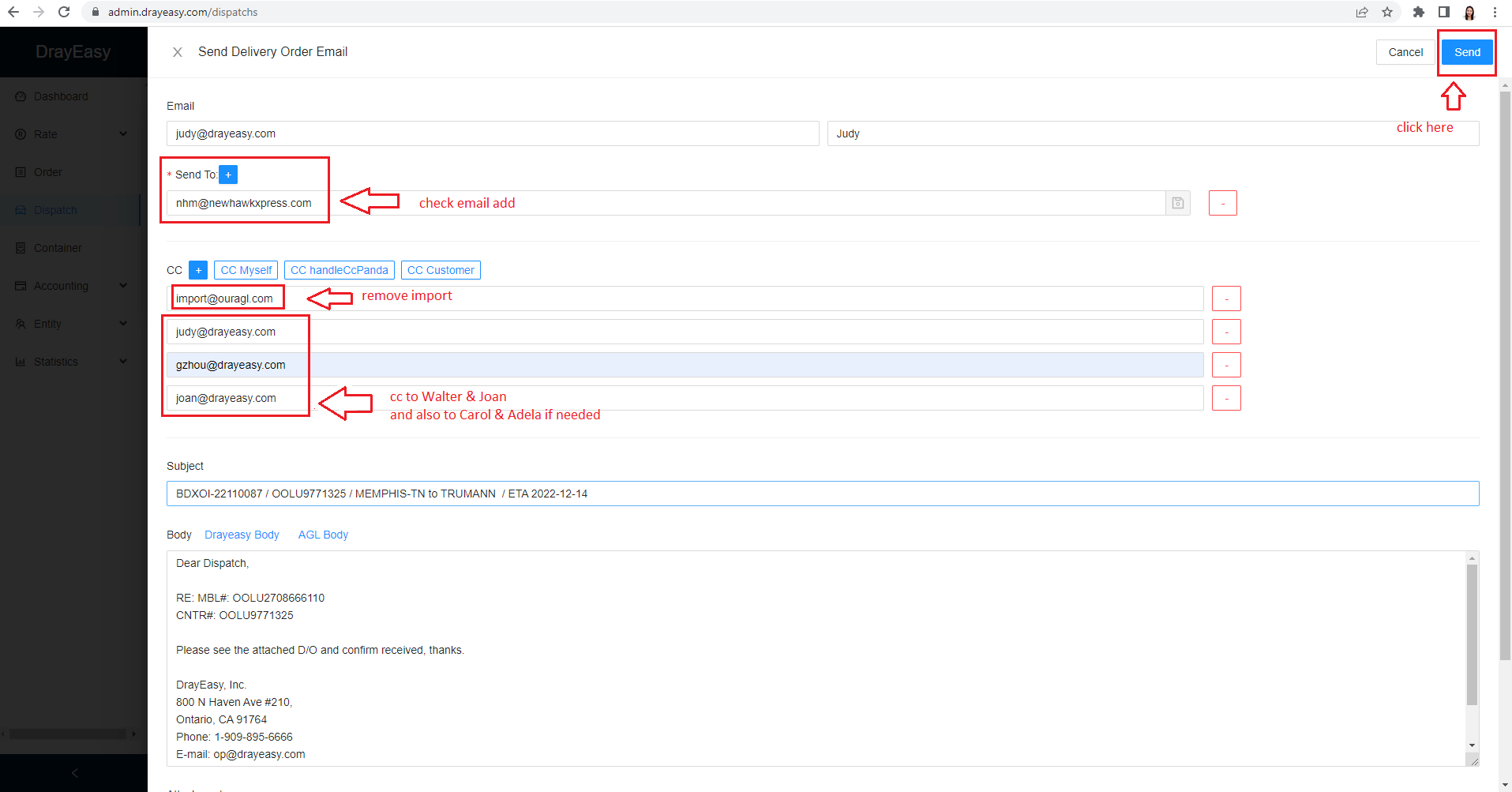
6. Please check all the email ads.
Remove import.
CC Myself, Walter, and Joan.
~~~CC Adela and Carol as well, when needed.
Once done, click send.