How to create quote request
1. Login app.drayeasy.com
2. Go to Rate and input port/ramp, destination city (need to select from dropoff box) and cargo type.
3. Search to get the rate.
4. If there’s no rate, click Request More Rates to request more rates.
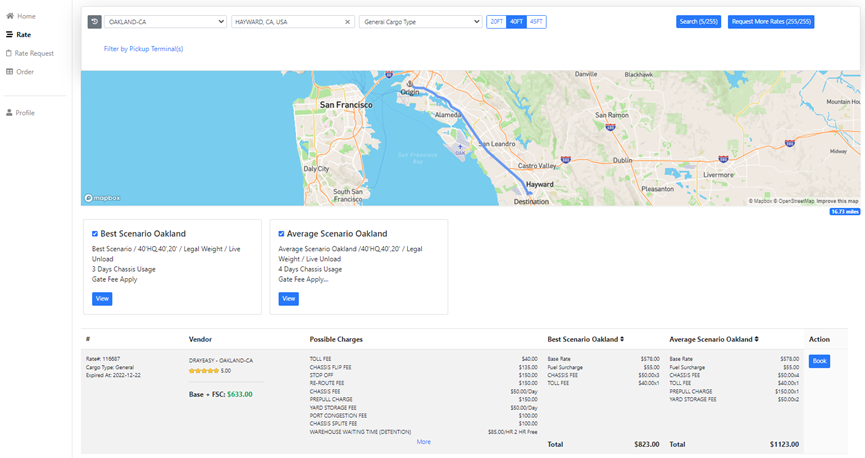
Possible Charges: Charges might happen in the port/ramp.
Best Scenario: Best scenario includes base, FSC and other known fixed charges. This is the minimum actual charge on the bill if everything goes smooth.
Average Scenario: Average scenario includes all the known charges per port/ramp and other charges that occur frequently based on the bills we received. 95% of the bills are below the average scenario rate. The Average Scenario is NOT a guarantee of the maximum charge of you bill. It’s just a tool to help you understand the potential charges from each port/ramp so you could plan your budget wisely.